> ## Documentation Index
> Fetch the complete documentation index at: https://developer.box.com/llms.txt
> Use this file to discover all available pages before exploring further.
# Select Auth Method
export const SignupCTA = ({children}) => {
return
;
};
export const Link = ({href, children, className, ...props}) => {
const localizedHref = localizeLink(href);
return
{children}
;
};
The type of authorization your application can use depends on the specific use case.
Depending on the authentication method you choose, you need to specify further details.
| Authentication Method | Details |
| ---------------------------- | ------------------------------------------------------------------------------------ |
| **OAuth 2.0** | Specify the client ID and client secret. |
| **JWT** | Add a public key or generate a public/private key pair. Choose the app access level. |
| **Client Credentials Grant** | Specify the client ID and client secret. Choose the app access level. |
See Create a Platform App for details.
## Client-side
### OAuth 2.0
OAuth 2.0 requires the application to redirect end-users to their browser to
login to Box and authorize the application to take actions on their
behalf.
**When to use OAuth 2.0?**
Client-side authentication is the ideal authentication method for apps that:
* work with users who have existing Box accounts
* use Box for identity management, so users know they are using Box
* store data within each user account vs. within an application's Service Account
## Server-side
### JWT
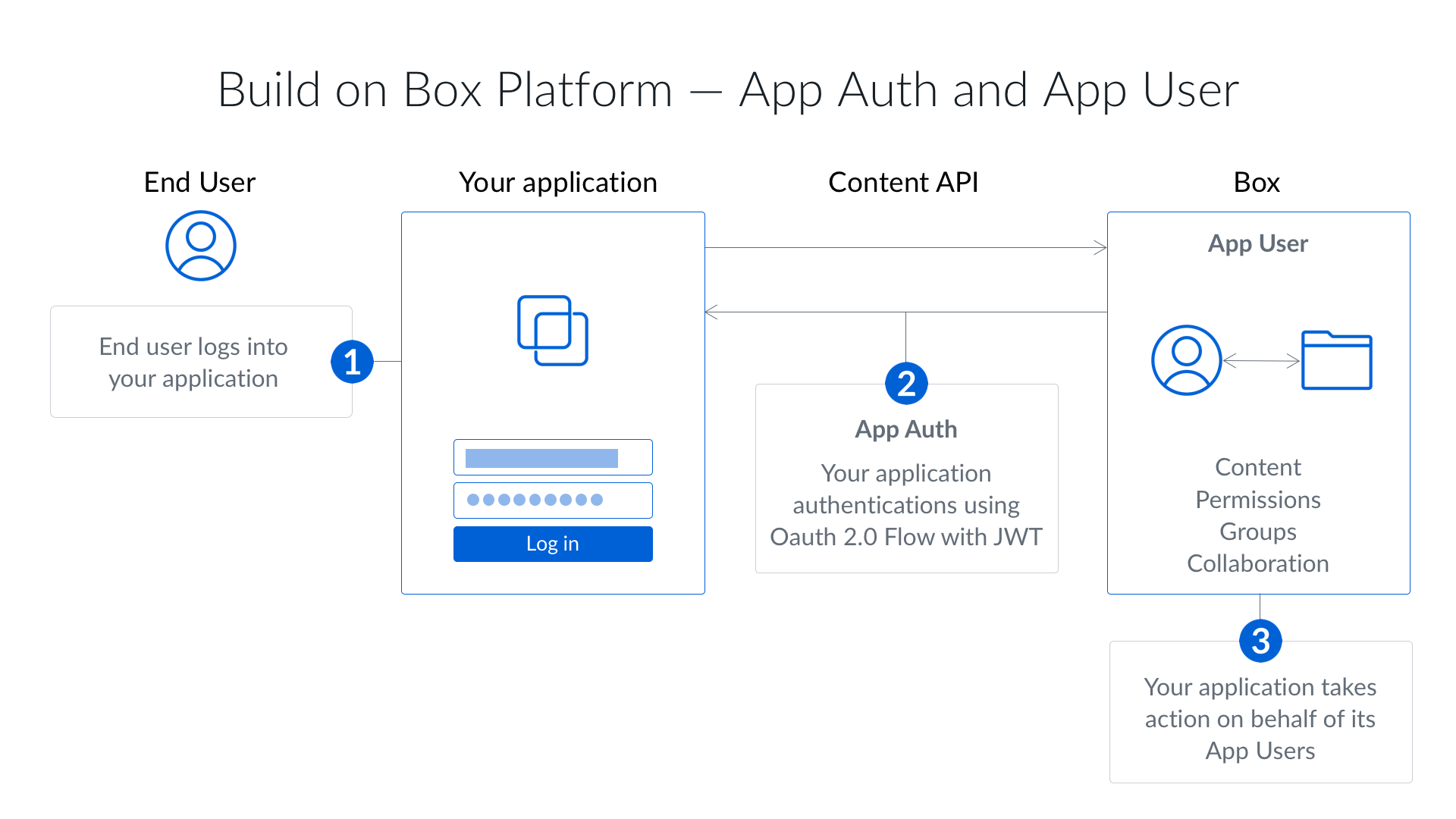
Server-side authentication using JSON Web Tokens (JWT) does not require end-user
interaction and, if granted the proper privileges, can be used to act on behalf
of any user in an enterprise. Identity is validated using a JWT assertion and
public/private keypair.
**When to use JWT?**
Server-side authentication with JWT is the ideal authentication method for apps
that:
* work with users without Box accounts
* use their own identity system
* do not want users to know they are using Box
* store data within the application's Service Account and not a user's account
### Client Credentials Grant
Server-side authentication using Client Credentials Grant does not require
end-user interaction and, if granted the proper privileges, can be used to act
on behalf of any user in an enterprise. Identity is validated using the
application's client ID and client secret.
**When to use a Client Credentials Grant?**
Server-side authentication with Client Credentials Grant is the ideal
authentication method for apps that:
* work with users without Box accounts
* use their own identity management system
* do not want users to know they are using Box
* store data within the application's Service Account and not a user's account
## Comparison
The following is a quick overview of the key difference between client-side and
server-side authentication.
| | OAuth 2.0 | JWT | Client Credentials |
| --------------------------------- | --------- | --- | ------------------ |
| Requires user involvement? | Yes | No | No |
| Requires admin approval? | No | Yes | Yes |
| Can act on behalf of other users? | Yes | Yes | Yes |
| Do users see Box? | Yes | No | No |
| Can create App Users? | No | Yes | Yes |
Apps created with a free developer account are authorized automatically. In that environment, JWT and Client Credentials Grant apps don't require a separate admin approval step before use. Platform App Approval provides more details details on authorization.
An Access Token is tied to a specific Box user and the way the token has been
obtained determines who that user is.
For example, when using client-side authentication the token represents the
user who granted access to their account, while while when using server-side
authentication the token defaults to the application's Service Account.
Ready to start building? A free developer account gives you access to the Developer Console, where you can create a Platform App and configure your preferred authentication method.