> ## Documentation Index
> Fetch the complete documentation index at: https://developer.box.com/llms.txt
> Use this file to discover all available pages before exploring further.
# Box MCP server
Model Context Protocol ([MCP](https://modelcontextprotocol.io/introduction)) is an open protocol that standardizes how applications provide context to LLMs. MCP servers make building advanced integrations simpler and less time consuming.
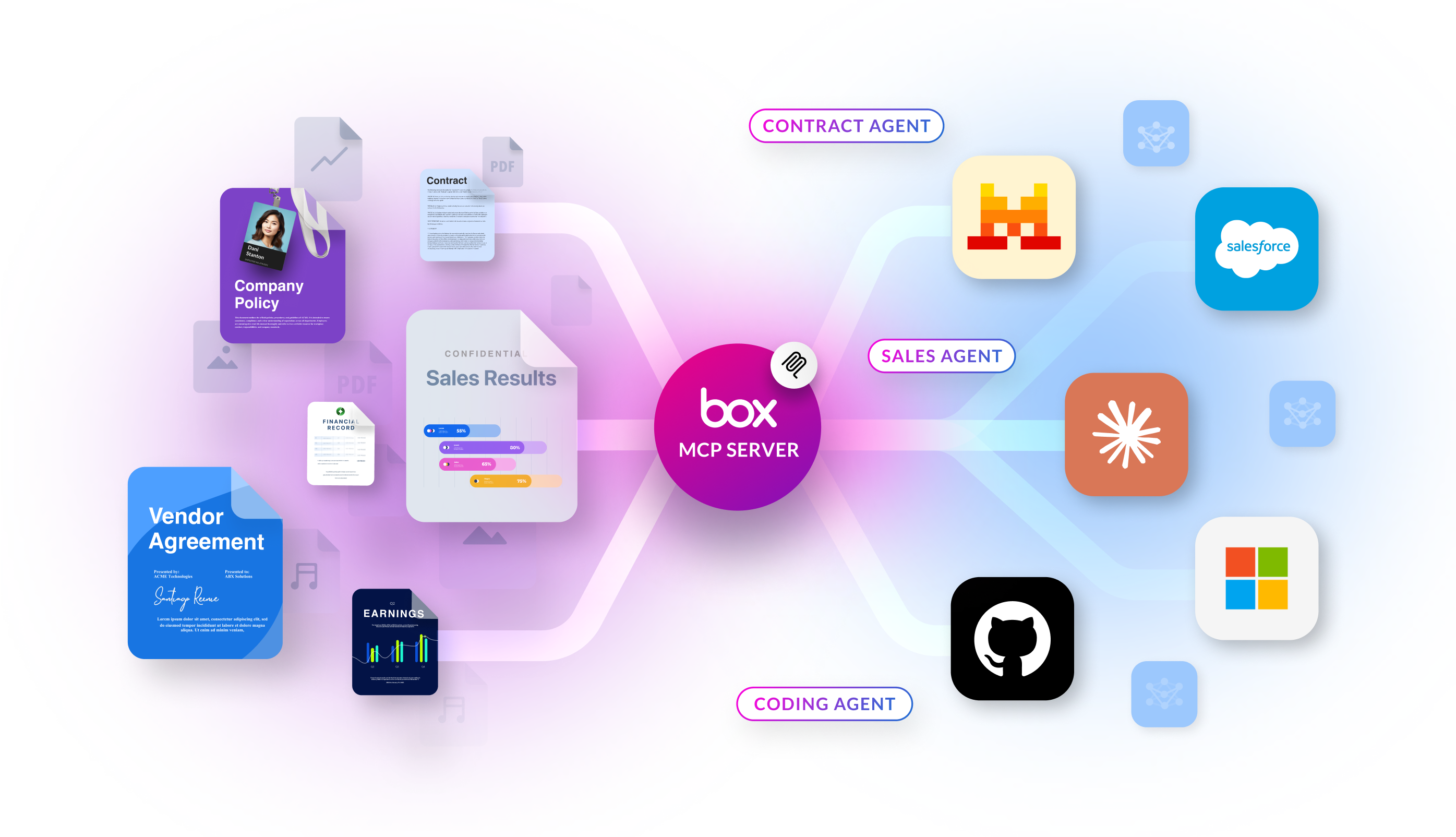
The **Box MCP server** lets AI agents and apps use Box content through a single hosted endpoint. Your users authorize access with OAuth; agents call tools (search, Box AI, folders, and more) without you handling raw file payloads in the client.
## How it works at a glance
Follow this path when you are wiring or extending an integration:
1. **Box hosts MCP** at `https://mcp.box.com`. You connect your client or agent platform to this URL; you do not run Box’s MCP server yourself for the standard integration.
2. **An admin enables MCP** in the Box Admin Console and, for custom clients, creates **Integration Credentials** (OAuth client ID and client secret, redirect URI, and scopes such as **Content Actions**).
3. **Your application** passes the MCP endpoint, OAuth credentials, the MCP name `box-remote-mcp`, and an authorization token according to your platform’s MCP client requirements.
| If you want to… | Go to |
| ------------------------------------------------------------------------- | ---------------------------------------------- |
| Enable MCP in the Admin Console, configure OAuth, and connect your client | [Set up the MCP server](/guides/box-mcp/setup) |
| Look up tool names and what each tool does | [Available tools](/guides/box-mcp/tools) |
## Platform setup guides
Box MCP server supports an expanding range of AI platforms. Select a card below to view setup instructions for each one.
Step-by-step setup for **end-user AI platforms** (for example ChatGPT, Claude, Copilot Studio, Figma, and others) lives in **Box product documentation** — see [Supported AI Platforms](https://docs.box.com/en/box-mcp/supported-ai-platforms) for the full partner list and platform guides.
The **self-hosted** Box MCP server (open-source community project) is **deprecated**. Do not start new work on it. Existing references and troubleshooting remain in [Self-hosted Box MCP server (legacy)](/guides/box-mcp/self-hosted) under **Appendix**.
Watch an interview with Box CTO, Ben Kus, and learn how MCP empowers AI agents to work dynamically across platforms, reducing the development effort.
 ## How it works at a glance
Follow this path when you are wiring or extending an integration:
1. **Box hosts MCP** at `https://mcp.box.com`. You connect your client or agent platform to this URL; you do not run Box’s MCP server yourself for the standard integration.
2. **An admin enables MCP** in the Box Admin Console and, for custom clients, creates **Integration Credentials** (OAuth client ID and client secret, redirect URI, and scopes such as **Content Actions**).
3. **Your application** passes the MCP endpoint, OAuth credentials, the MCP name `box-remote-mcp`, and an authorization token according to your platform’s MCP client requirements.
| If you want to… | Go to |
| ------------------------------------------------------------------------- | ---------------------------------------------- |
| Enable MCP in the Admin Console, configure OAuth, and connect your client | [Set up the MCP server](/guides/box-mcp/setup) |
| Look up tool names and what each tool does | [Available tools](/guides/box-mcp/tools) |
## Platform setup guides
Box MCP server supports an expanding range of AI platforms. Select a card below to view setup instructions for each one.
## How it works at a glance
Follow this path when you are wiring or extending an integration:
1. **Box hosts MCP** at `https://mcp.box.com`. You connect your client or agent platform to this URL; you do not run Box’s MCP server yourself for the standard integration.
2. **An admin enables MCP** in the Box Admin Console and, for custom clients, creates **Integration Credentials** (OAuth client ID and client secret, redirect URI, and scopes such as **Content Actions**).
3. **Your application** passes the MCP endpoint, OAuth credentials, the MCP name `box-remote-mcp`, and an authorization token according to your platform’s MCP client requirements.
| If you want to… | Go to |
| ------------------------------------------------------------------------- | ---------------------------------------------- |
| Enable MCP in the Admin Console, configure OAuth, and connect your client | [Set up the MCP server](/guides/box-mcp/setup) |
| Look up tool names and what each tool does | [Available tools](/guides/box-mcp/tools) |
## Platform setup guides
Box MCP server supports an expanding range of AI platforms. Select a card below to view setup instructions for each one.