> ## Documentation Index
> Fetch the complete documentation index at: https://developer.box.com/llms.txt
> Use this file to discover all available pages before exploring further.
# Signing unstructured docs
> Prepare an unstructured document in Box Sign before you send it to a signer.
Set `is_document_preparation_needed` when you
[create a sign request](/guides/box-sign/create-sign-request#document-preparation).
This page is the unstructured document walkthrough.
Imagine a document management app, where users can upload a document and ask
anyone to sign it. In this case, your app knows what document to sign and
who needs to sign, but it has no idea where to put the signature or its
properties like name, date, initial, and so on.
This contrasts with [using templates][sign-templates] or
[structured documents][sign-structured-docs] where your
app knows what they are, and where the
signature properties are.
In these cases, and because each document can have a different structure, it is
a good idea to always set the `is_document_preparation_needed` flag to
`true`, so that the sender has a chance to select and place the signature
properties in the document before the signer gets the request.
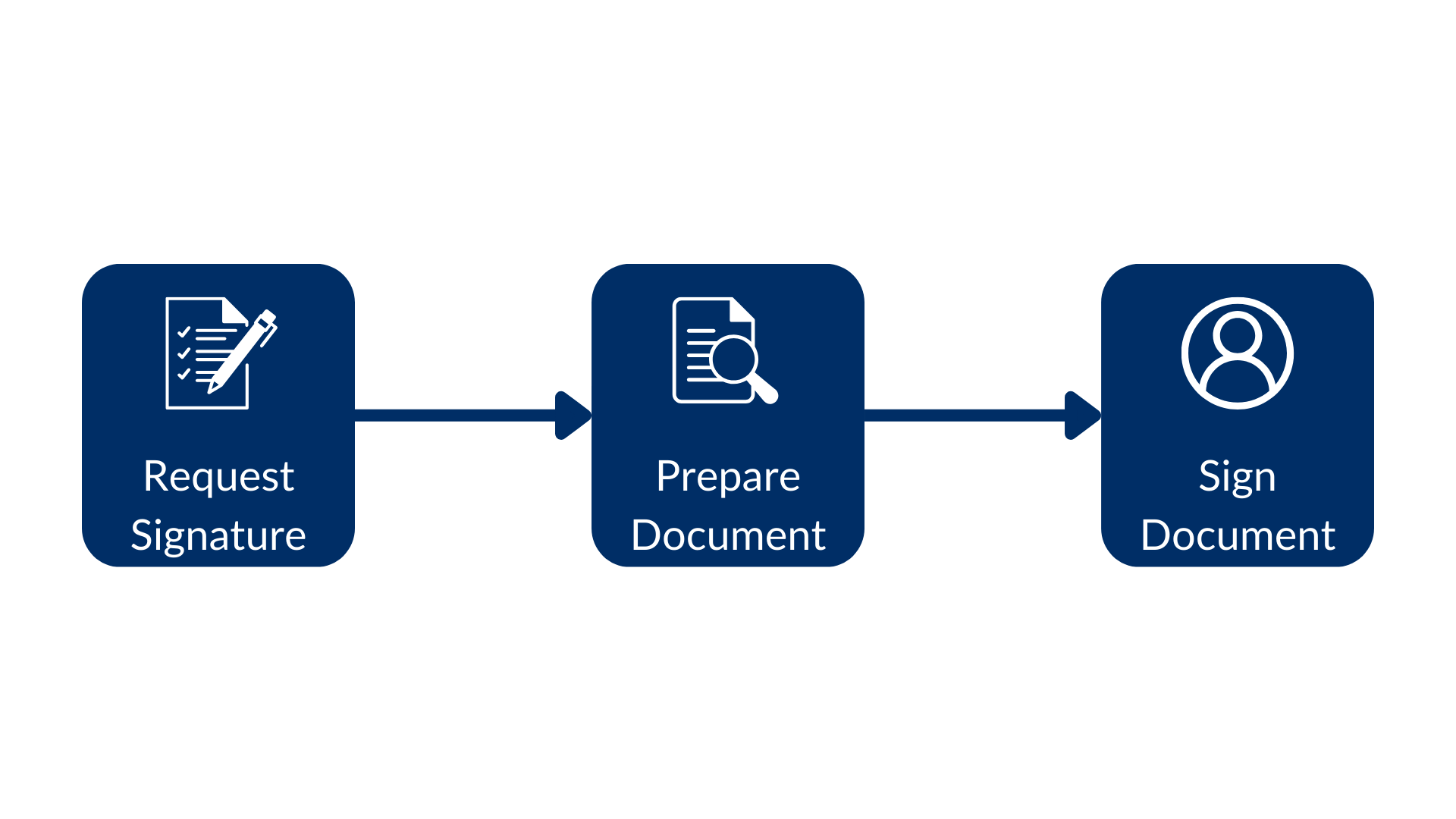
There are three steps to this flow: create the signature request, prepare
the document, and sign it.
 Consider the example:
```sh cURL theme={null}
curl --location 'https://api.box.com/2.0/sign_requests' \
--header 'Content-Type: application/json' \
--header 'Authorization: Bearer ' \
--data-raw '{
"is_document_preparation_needed": true,
"parent_folder": {
"id": "234102987614",
"type": "folder"
},
"source_files": [
{
"id": "1355143830404",
"type": "file"
}
],
"signers": [
{
"email": "signer@example.com",
"role": "signer"
}
]
}'
```
```python Python v10 theme={null}
sign_request = client.sign_requests.create_sign_request(
[SignRequestCreateSigner(email=signer_email)],
source_files=[FileBase(id=document_id)],
parent_folder=FolderMini(id=destination_folder_id),
is_document_preparation_needed=True,
)
if sign_request.prepare_url is not None:
print(sign_request.prepare_url)
```
This results in a signature request with a prepare document URL (simplified):
```json cURL theme={null}
{
"is_document_preparation_needed": true,
"signers": [
{
"email": "requester@example.com",
"role": "final_copy_reader",
},
{
"email": "signer@example.com",
"role": "signer",
}
],
"id": "348decab-48a8-4f2c-9436-8967afebf7bb",
"prepare_url": "https://app.box.com/sign/document/xyz-abc-123/.../prepare_doc/",
"source_files": [
{
"id": "1355143830404",
"type": "file",
}
],
"parent_folder": {
"id": "234102987614",
"type": "folder",
},
"name": "Simple-PDF.pdf",
"type": "sign-request",
"status": "converting",
"sign_files": {
"files": [
{
"id": "1381301154812",
"type": "file",
}
],
"is_ready_for_download": true
},
"template_id": null
}
```
```yaml theme={null}
Simple sign request with prep: xyz-abc-123
Status: converting
Signers: signer@example.com
Prepare url: https://app.box.com/sign/document/xyz-abc-123/.../prepare_doc/
```
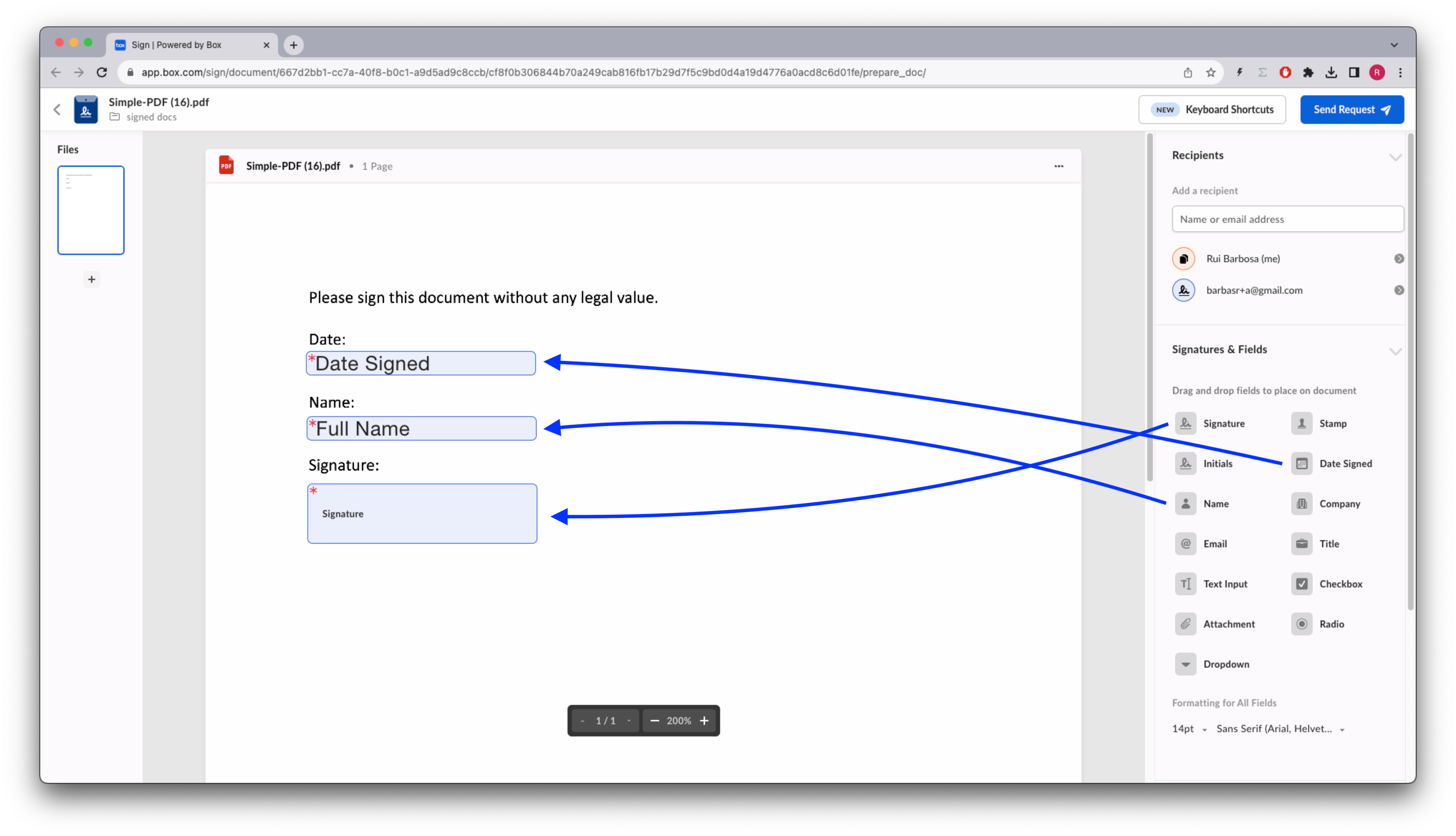
Notice in the above script that, if a prepare document URL was generated by the
signature request, the app opens a browser for it. The requester can
then apply the different signature properties, for example:
Consider the example:
```sh cURL theme={null}
curl --location 'https://api.box.com/2.0/sign_requests' \
--header 'Content-Type: application/json' \
--header 'Authorization: Bearer ' \
--data-raw '{
"is_document_preparation_needed": true,
"parent_folder": {
"id": "234102987614",
"type": "folder"
},
"source_files": [
{
"id": "1355143830404",
"type": "file"
}
],
"signers": [
{
"email": "signer@example.com",
"role": "signer"
}
]
}'
```
```python Python v10 theme={null}
sign_request = client.sign_requests.create_sign_request(
[SignRequestCreateSigner(email=signer_email)],
source_files=[FileBase(id=document_id)],
parent_folder=FolderMini(id=destination_folder_id),
is_document_preparation_needed=True,
)
if sign_request.prepare_url is not None:
print(sign_request.prepare_url)
```
This results in a signature request with a prepare document URL (simplified):
```json cURL theme={null}
{
"is_document_preparation_needed": true,
"signers": [
{
"email": "requester@example.com",
"role": "final_copy_reader",
},
{
"email": "signer@example.com",
"role": "signer",
}
],
"id": "348decab-48a8-4f2c-9436-8967afebf7bb",
"prepare_url": "https://app.box.com/sign/document/xyz-abc-123/.../prepare_doc/",
"source_files": [
{
"id": "1355143830404",
"type": "file",
}
],
"parent_folder": {
"id": "234102987614",
"type": "folder",
},
"name": "Simple-PDF.pdf",
"type": "sign-request",
"status": "converting",
"sign_files": {
"files": [
{
"id": "1381301154812",
"type": "file",
}
],
"is_ready_for_download": true
},
"template_id": null
}
```
```yaml theme={null}
Simple sign request with prep: xyz-abc-123
Status: converting
Signers: signer@example.com
Prepare url: https://app.box.com/sign/document/xyz-abc-123/.../prepare_doc/
```
Notice in the above script that, if a prepare document URL was generated by the
signature request, the app opens a browser for it. The requester can
then apply the different signature properties, for example:
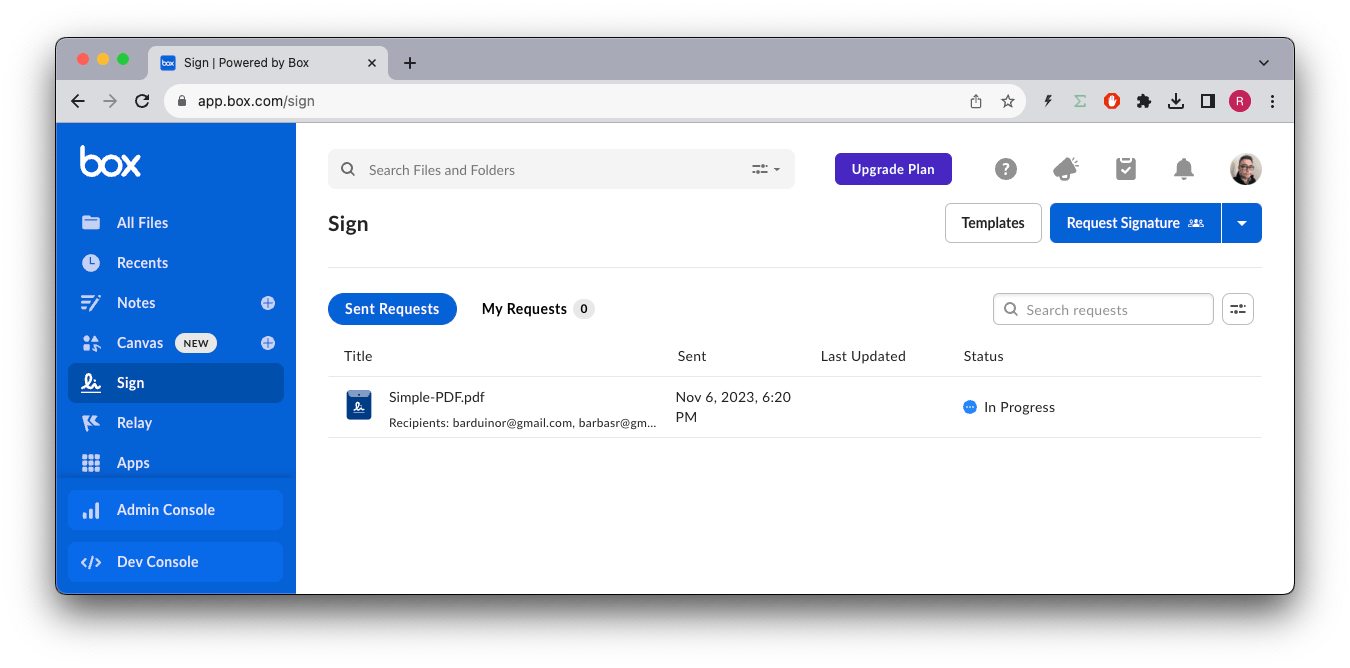
 Once the document is prepared, the requester can send the signature request to
the signer.
Back in the Box app, you see the status `In Progress`.
Once the document is prepared, the requester can send the signature request to
the signer.
Back in the Box app, you see the status `In Progress`.
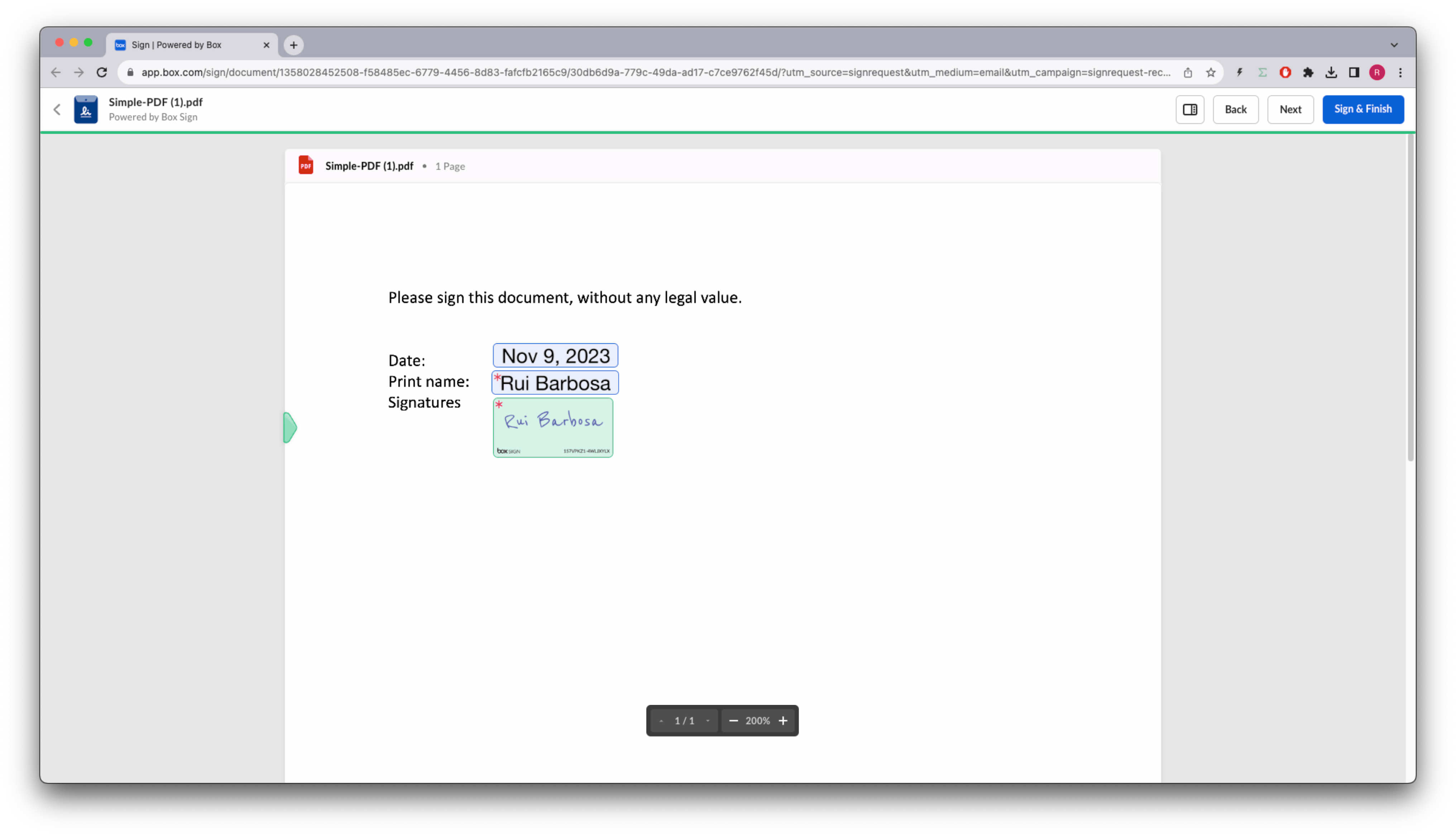
 The signer receives an email from Box with a link to the signature
request.
The signer receives an email from Box with a link to the signature
request.
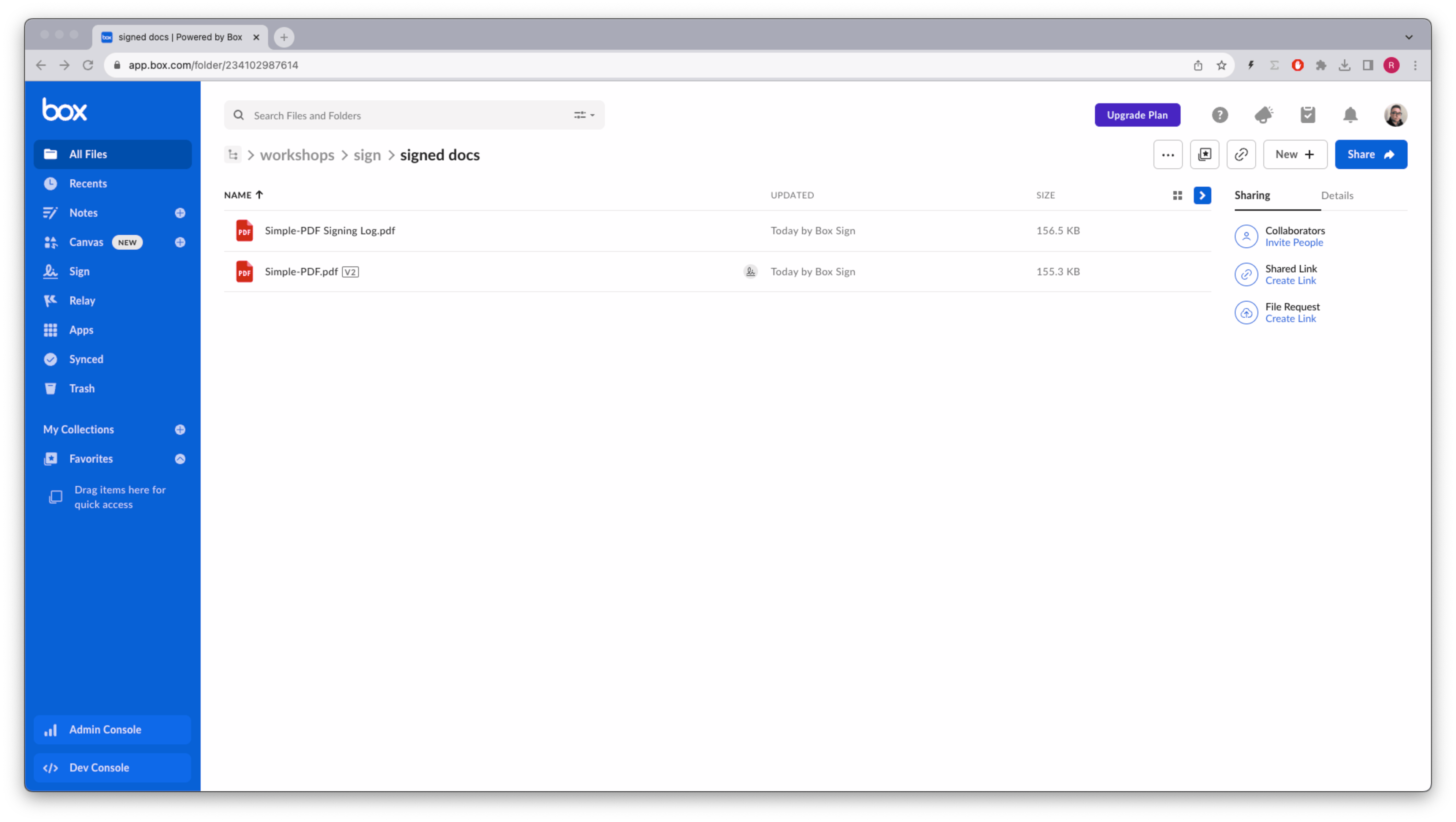
 When the process is complete, both a signature log containing metadata and
the signed document are stored in the destination folder.
When the process is complete, both a signature log containing metadata and
the signed document are stored in the destination folder.
 [sign-templates]: /guides/box-sign/document-types/sign-templates
[sign-structured-docs]: /guides/box-sign/document-types/structured
[sign-templates]: /guides/box-sign/document-types/sign-templates
[sign-structured-docs]: /guides/box-sign/document-types/structured