> ## Documentation Index
> Fetch the complete documentation index at: https://developer.box.com/llms.txt
> Use this file to discover all available pages before exploring further.
# Tasks overview
Tasks allow users to request collaborators on a file to review a file or
complete a piece of work. Tasks can be used by developers to create file-centric
workflows. Learn more about tasks from the [**Adding Comments and
Tasks**][community] article on our support site.
 ## Task actions
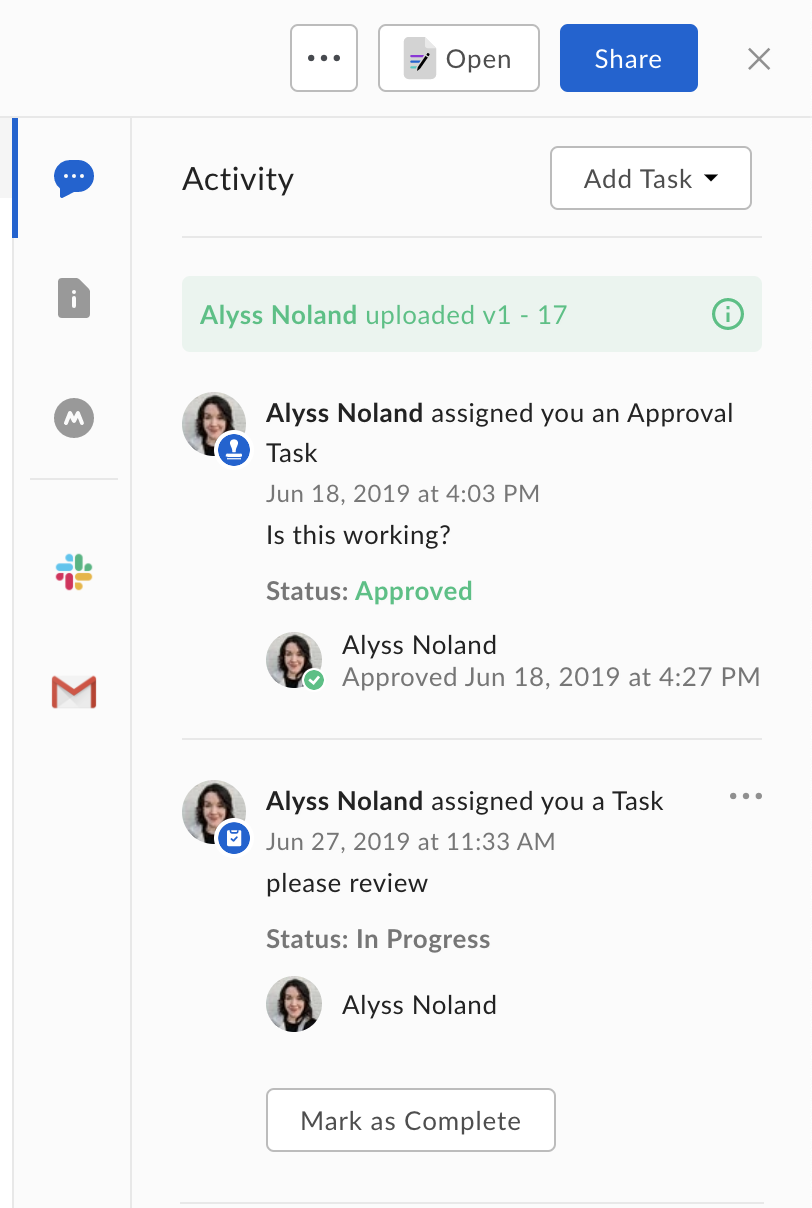
Box currently supports two types of tasks defined by the `action` value:
`review` tasks and `complete` tasks.
The type of task determines the possible resolution states a task can be in and
the interface shown to a user in the web and mobile apps.
| Task action | Possible resolution states |
| ----------- | ------------------------------------ |
| `review` | `incomplete`, `approved`, `rejected` |
| `complete` | `incomplete`, `complete` |
A `review` task starts out in an `incomplete` state and can be marked as
`incomplete`, `approved`, or `rejected`. In the user interface a user is
provided with a text box and a pair of buttons to approve or reject the task.
A `complete` task starts out in an `incomplete` state and can be marked
`incomplete` or `completed`. Once this task is marked completed, no
further changes can be made to the task's state. In the user interface a user is
provided with a text box and a button to mark the task as completed.
## Completion rules
A task on a file can be assigned to more than one collaborator on the file, and
a task has a `completion_rule` that can be used to define if all users who've
been assigned the task (`all_assignees`) or only one assignee (`any_assignee`)
need to complete the task.
[community]: https://support.box.com/hc/en-us/articles/360043695954-Adding-Comments-and-Tasks
## Task actions
Box currently supports two types of tasks defined by the `action` value:
`review` tasks and `complete` tasks.
The type of task determines the possible resolution states a task can be in and
the interface shown to a user in the web and mobile apps.
| Task action | Possible resolution states |
| ----------- | ------------------------------------ |
| `review` | `incomplete`, `approved`, `rejected` |
| `complete` | `incomplete`, `complete` |
A `review` task starts out in an `incomplete` state and can be marked as
`incomplete`, `approved`, or `rejected`. In the user interface a user is
provided with a text box and a pair of buttons to approve or reject the task.
A `complete` task starts out in an `incomplete` state and can be marked
`incomplete` or `completed`. Once this task is marked completed, no
further changes can be made to the task's state. In the user interface a user is
provided with a text box and a button to mark the task as completed.
## Completion rules
A task on a file can be assigned to more than one collaborator on the file, and
a task has a `completion_rule` that can be used to define if all users who've
been assigned the task (`all_assignees`) or only one assignee (`any_assignee`)
need to complete the task.
[community]: https://support.box.com/hc/en-us/articles/360043695954-Adding-Comments-and-Tasks