> ## Documentation Index
> Fetch the complete documentation index at: https://developer.box.com/llms.txt
> Use this file to discover all available pages before exploring further.
# 統合
export const MultiRelatedLinks = ({sections = []}) => {
if (!sections || sections.length === 0) {
return null;
}
return
{sections.map((section, index) => )}
;
};
export const RelatedLinks = ({title, items = []}) => {
const getBadgeClass = badge => {
if (!badge) return "badge-default";
const badgeType = badge.toLowerCase().replace(/\s+/g, "-");
return `badge-${badge === "ガイド" ? "guide" : badgeType}`;
};
if (!items || items.length === 0) {
return null;
}
return ;
};
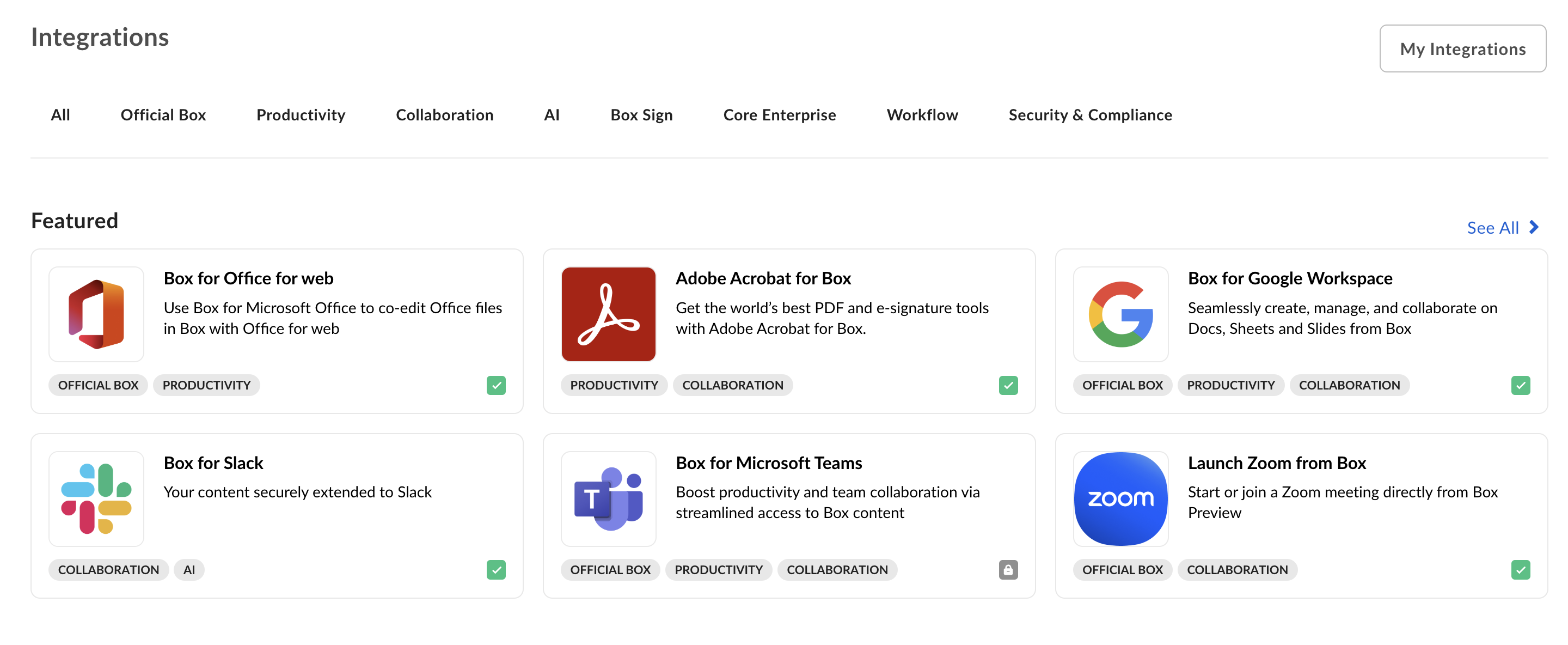
[Box統合][app-center]は、BoxユーザーがBoxと組み合わせて使用できるアプリケーションについて最初に確認できる場所です。アプリケーションが他の企業で使用できる場合は、**統合**にサービスを登録すると、新しいユーザーを見つけるのに役立ちます。統合では、ユーザーが見つけやすいように、アプリが \[おすすめ]、\[人気]、\[新着] セクションに分類されています。
 ## Platformアプリの開発またはBoxパートナーへの参加
Box統合用のPlatformアプリの開発またはBoxパートナーへの参加の詳細については、Box Supportサイトの[Box Partner Resources][bp]のガイド (英語) を参照してください。
## Platformアプリの公開
Box統合でPlatformアプリを公開するには、以下の手順に従います。
### 前提条件
アプリケーションは、以下の要件を満たす必要があります。
* Platformアプリは完成した状態で、実稼働環境での使用準備ができていること。
* 統合ではOAuth 2.0以外の認証方法がサポートされていないため、PlatformアプリではOAuth 2.0認証を利用すること。
* 開発者として、**開発者コンソール**でそのPlatformアプリにアクセスできること。
### 手順
1. 開発者コンソールの \[**Platformアプリ**] に移動し、公開するアプリを選択します。
2. 上部のメニューで \[**公開**] タブを選択します。
## Platformアプリの開発またはBoxパートナーへの参加
Box統合用のPlatformアプリの開発またはBoxパートナーへの参加の詳細については、Box Supportサイトの[Box Partner Resources][bp]のガイド (英語) を参照してください。
## Platformアプリの公開
Box統合でPlatformアプリを公開するには、以下の手順に従います。
### 前提条件
アプリケーションは、以下の要件を満たす必要があります。
* Platformアプリは完成した状態で、実稼働環境での使用準備ができていること。
* 統合ではOAuth 2.0以外の認証方法がサポートされていないため、PlatformアプリではOAuth 2.0認証を利用すること。
* 開発者として、**開発者コンソール**でそのPlatformアプリにアクセスできること。
### 手順
1. 開発者コンソールの \[**Platformアプリ**] に移動し、公開するアプリを選択します。
2. 上部のメニューで \[**公開**] タブを選択します。
![アプリケーションの [公開] タブ](https://mintcdn.com/box/KBEcg4yicgc_HMRY/images/guides/applications/integrations/publishing-app.png?fit=max&auto=format&n=KBEcg4yicgc_HMRY&q=85&s=704ecdda9eb8c5d6c588d87dfe1b5d12) 3. 送信チェックリストをひととおり読み、アプリがすべての要件を満たしているかどうかを確認するチェックボックスをオンにします。
4. フォームで以下の項目を指定します。
* アプリが該当するカテゴリ
* 簡単な説明と詳しい説明
* スクリーンショットとアプリアイコン
* ユーザーをサポートするために使用される補足情報
5. 右上にある \[**プレビュー**] ボタンを使用して、登録されたときにアプリケーションがどのように表示されるかを確認します。
6. 最後に、\[**承認用に送信**] ボタンをクリックして、アプリケーションを承認用に送信します。承認のリクエストが届くと、Boxパートナーチームは通知を受け取り、リクエストをできるだけ早く確認します。質問がある場合は、[`integrate@box.com`][email]に英語でお問い合わせください。
## Platformアプリの公開取り消し
承認されて公開されたPlatformアプリは、同じコントロールパネルから公開を取り消すことができます。
1. **開発者コンソール**に移動して、Platformアプリを選択します。
2. \[**公開**] タブを選択します。
3. アプリの公開を取り消すことができます。
[app-center]: https://app.box.com/services
[email]: mailto:integrate@box.com
[bp]: https://support.box.com/hc/en-us/sections/21356597387539-Box-Partner-Programs
3. 送信チェックリストをひととおり読み、アプリがすべての要件を満たしているかどうかを確認するチェックボックスをオンにします。
4. フォームで以下の項目を指定します。
* アプリが該当するカテゴリ
* 簡単な説明と詳しい説明
* スクリーンショットとアプリアイコン
* ユーザーをサポートするために使用される補足情報
5. 右上にある \[**プレビュー**] ボタンを使用して、登録されたときにアプリケーションがどのように表示されるかを確認します。
6. 最後に、\[**承認用に送信**] ボタンをクリックして、アプリケーションを承認用に送信します。承認のリクエストが届くと、Boxパートナーチームは通知を受け取り、リクエストをできるだけ早く確認します。質問がある場合は、[`integrate@box.com`][email]に英語でお問い合わせください。
## Platformアプリの公開取り消し
承認されて公開されたPlatformアプリは、同じコントロールパネルから公開を取り消すことができます。
1. **開発者コンソール**に移動して、Platformアプリを選択します。
2. \[**公開**] タブを選択します。
3. アプリの公開を取り消すことができます。
[app-center]: https://app.box.com/services
[email]: mailto:integrate@box.com
[bp]: https://support.box.com/hc/en-us/sections/21356597387539-Box-Partner-Programs