> ## Documentation Index
> Fetch the complete documentation index at: https://developer.box.com/llms.txt
> Use this file to discover all available pages before exploring further.
# Box MCPサーバー
Model Context Protocol ([MCP](https://modelcontextprotocol.io/introduction)) は、アプリケーションがLLMにコンテキストを提供する方法を標準化するオープンプロトコルです。MCPサーバーにより、高度な統合をよりシンプルかつ時間をかけずに構築できるようになります。
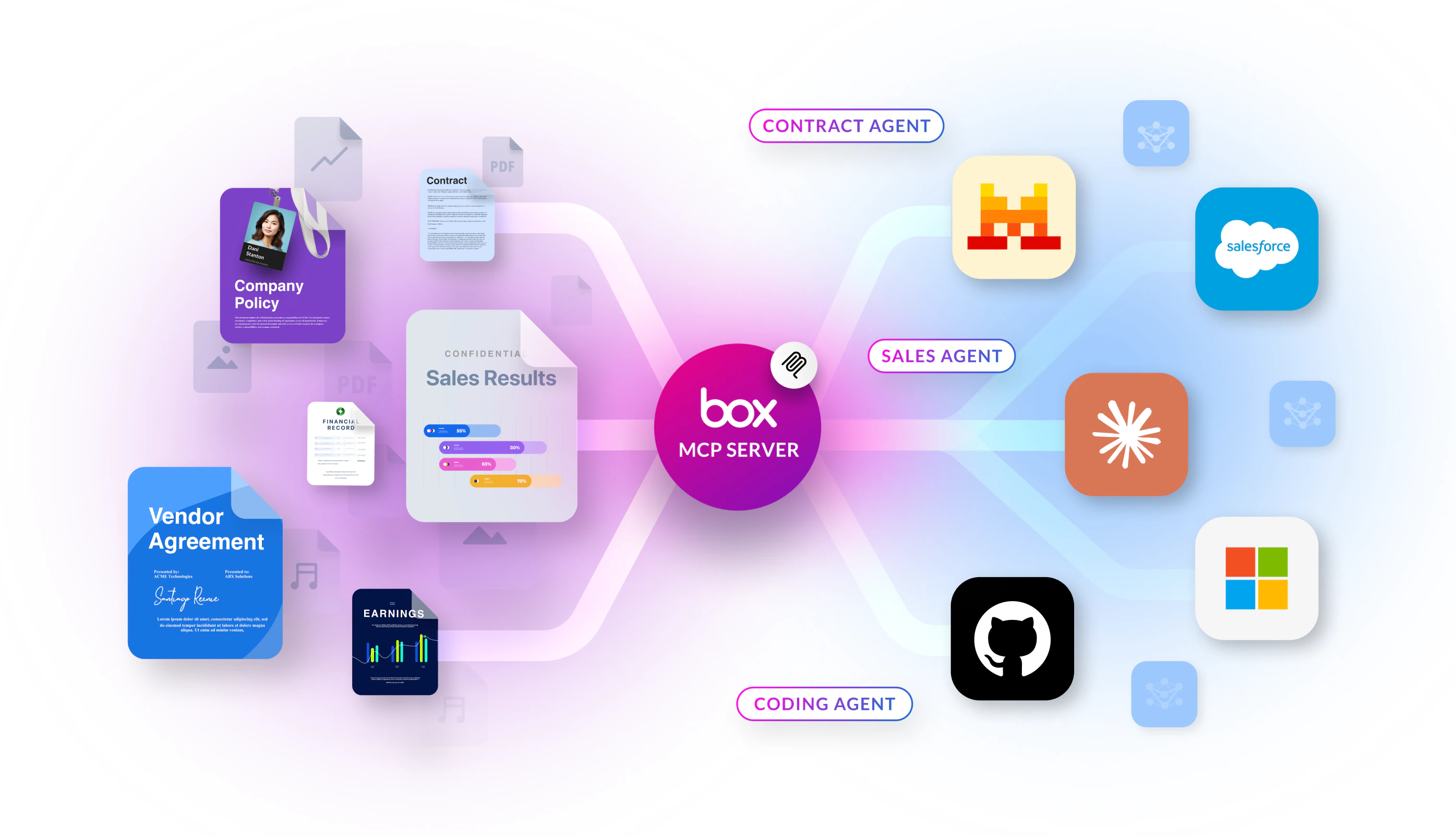
**Box MCPサーバー**を使用すると、AIエージェントやアプリが、ホストされた単一エンドポイントを介してBoxのコンテンツを利用できます。ユーザーはOAuthでアクセスを承認します。クライアントで生のファイルペイロードを処理しなくても、エージェントが各種ツール (検索、Box AI、フォルダなど) を呼び出すことができます。
 ## 仕組みの概要
統合の接続や拡張を行う際は、以下の手順に従います。
1. **Box上で、MCPを`https://mcp.box.com`でホストします**。クライアントまたはエージェントプラットフォームをこのURLに接続します。標準的な統合では、BoxのMCPサーバーを自身で実行する必要はありません。
2. **管理者がBox管理コンソールでMCPを有効にして**、カスタムクライアント用に**統合資格情報** (OAuthクライアントIDとクライアントシークレット、リダイレクトURI、スコープ (**コンテンツ操作**など)) を作成します。
3. **アプリケーション**はプラットフォームのMCPクライアント要件に従って、MCPエンドポイント、OAuth資格情報、MCP名`box-remote-mcp`、承認トークンを渡します。
| 必要な操作 | 参照先 |
| --------------------------------------- | ----------------------------------- |
| 管理コンソールでMCPを有効にし、OAuthを構成して、クライアントを接続する | [MCPサーバーの設定](/guides/box-mcp/setup) |
| ツール名を検索し、各ツールの機能を確認する | [利用可能なツール](/guides/box-mcp/tools) |
## プラットフォーム設定ガイド
Box MCPサーバーは、幅広いAIプラットフォームをサポートしています。以下のカードを選択して、各プラットフォームの設定手順をご確認ください。
**エンドユーザー向けAIプラットフォーム** (ChatGPT、Claude、Copilot Studio、Figmaなど) のセットアップ手順は、**Boxの製品ドキュメント**に掲載されています。全パートナーのリストとプラットフォームガイドについては、[サポート対象のAIプラットフォーム](https://docs.box.com/en/box-mcp/supported-ai-platforms)を参照してください。
**セルフホスト**Box MCPサーバー (オープンソースのコミュニティプロジェクト) は、**非推奨**となっています。ここでは新たな操作を行わないでください。既存のリファレンスやトラブルシューティングについては、**付録**内の[セルフホストBox MCPサーバー (レガシー)](/guides/box-mcp/self-hosted) に記載されています。
Box CTOのBen Kusとのインタビューを視聴し、MCPによってAIエージェントがどのようにプラットフォーム間で動的に動作し、開発の手間を軽減しているかをご覧ください。
## 仕組みの概要
統合の接続や拡張を行う際は、以下の手順に従います。
1. **Box上で、MCPを`https://mcp.box.com`でホストします**。クライアントまたはエージェントプラットフォームをこのURLに接続します。標準的な統合では、BoxのMCPサーバーを自身で実行する必要はありません。
2. **管理者がBox管理コンソールでMCPを有効にして**、カスタムクライアント用に**統合資格情報** (OAuthクライアントIDとクライアントシークレット、リダイレクトURI、スコープ (**コンテンツ操作**など)) を作成します。
3. **アプリケーション**はプラットフォームのMCPクライアント要件に従って、MCPエンドポイント、OAuth資格情報、MCP名`box-remote-mcp`、承認トークンを渡します。
| 必要な操作 | 参照先 |
| --------------------------------------- | ----------------------------------- |
| 管理コンソールでMCPを有効にし、OAuthを構成して、クライアントを接続する | [MCPサーバーの設定](/guides/box-mcp/setup) |
| ツール名を検索し、各ツールの機能を確認する | [利用可能なツール](/guides/box-mcp/tools) |
## プラットフォーム設定ガイド
Box MCPサーバーは、幅広いAIプラットフォームをサポートしています。以下のカードを選択して、各プラットフォームの設定手順をご確認ください。
**エンドユーザー向けAIプラットフォーム** (ChatGPT、Claude、Copilot Studio、Figmaなど) のセットアップ手順は、**Boxの製品ドキュメント**に掲載されています。全パートナーのリストとプラットフォームガイドについては、[サポート対象のAIプラットフォーム](https://docs.box.com/en/box-mcp/supported-ai-platforms)を参照してください。
**セルフホスト**Box MCPサーバー (オープンソースのコミュニティプロジェクト) は、**非推奨**となっています。ここでは新たな操作を行わないでください。既存のリファレンスやトラブルシューティングについては、**付録**内の[セルフホストBox MCPサーバー (レガシー)](/guides/box-mcp/self-hosted) に記載されています。
Box CTOのBen Kusとのインタビューを視聴し、MCPによってAIエージェントがどのようにプラットフォーム間で動的に動作し、開発の手間を軽減しているかをご覧ください。