> ## Documentation Index
> Fetch the complete documentation index at: https://developer.box.com/llms.txt
> Use this file to discover all available pages before exploring further.
# 非構造化ドキュメントへの署名
> 署名者へ送信する前に、Box Signで非構造化ドキュメントを準備できます。
[署名リクエストを作成](/guides/box-sign/create-sign-request#document-preparation)する際に`is_document_preparation_needed`を設定します。このページでは、非構造化ドキュメントの手順について説明します。
ユーザーがドキュメントをアップロードし、誰にでもそのドキュメントへの署名を依頼できるドキュメント管理アプリを想像してみてください。この場合、アプリは、署名対象のドキュメントと署名する必要がある人を認識しますが、署名やそのプロパティ (名前、日付、イニシャルなど) を配置する場所は認識しません。
これは、[テンプレート][sign-templates]や[構造化されたドキュメント][sign-structured-docs]を使用する場合とは対照的です。これらを使用する場合、アプリは、署名プロパティの内容や場所を認識します。
このような場合、各ドキュメントに異なる構造を使用できるため、常に`is_document_preparation_needed`フラグを`true`に設定することをお勧めします。これにより、署名者がリクエストを受け取る前に、送信者は署名プロパティを選択してドキュメントに配置できるようになります。
このフローには、署名リクエストの作成、ドキュメントの準備、署名という3つのステップがあります。
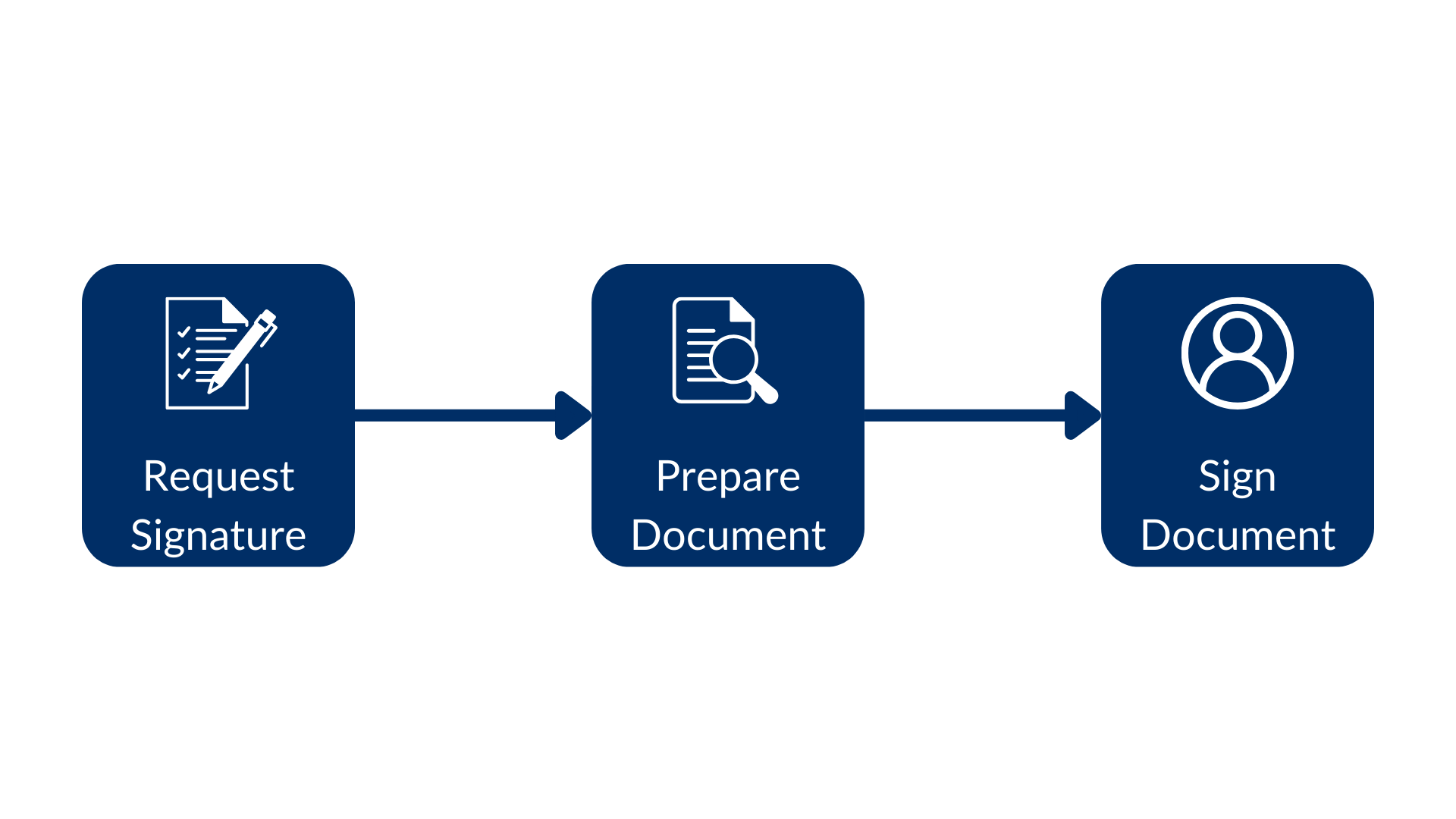 次の例を考えてみます。
```sh cURL theme={null}
curl --location 'https://api.box.com/2.0/sign_requests' \
--header 'Content-Type: application/json' \
--header 'Authorization: Bearer ' \
--data-raw '{
"is_document_preparation_needed": true,
"parent_folder": {
"id": "234102987614",
"type": "folder"
},
"source_files": [
{
"id": "1355143830404",
"type": "file"
}
],
"signers": [
{
"email": "signer@example.com",
"role": "signer"
}
]
}'
```
```python Python v10 theme={null}
sign_request = client.sign_requests.create_sign_request(
[SignRequestCreateSigner(email=signer_email)],
source_files=[FileBase(id=document_id)],
parent_folder=FolderMini(id=destination_folder_id),
is_document_preparation_needed=True,
)
if sign_request.prepare_url is not None:
print(sign_request.prepare_url)
```
これの結果、ドキュメント準備のURL (簡略化されています) を含む署名リクエストが作成されます。
```json cURL theme={null}
{
"is_document_preparation_needed": true,
"signers": [
{
"email": "requester@example.com",
"role": "final_copy_reader",
},
{
"email": "signer@example.com",
"role": "signer",
}
],
"id": "348decab-48a8-4f2c-9436-8967afebf7bb",
"prepare_url": "https://app.box.com/sign/document/xyz-abc-123/.../prepare_doc/",
"source_files": [
{
"id": "1355143830404",
"type": "file",
}
],
"parent_folder": {
"id": "234102987614",
"type": "folder",
},
"name": "Simple-PDF.pdf",
"type": "sign-request",
"status": "converting",
"sign_files": {
"files": [
{
"id": "1381301154812",
"type": "file",
}
],
"is_ready_for_download": true
},
"template_id": null
}
```
```yaml theme={null}
Simple sign request with prep: xyz-abc-123
Status: converting
Signers: signer@example.com
Prepare url: https://app.box.com/sign/document/xyz-abc-123/.../prepare_doc/
```
上記のスクリプトでは、ドキュメント準備のURLが署名リクエストによって生成された場合、アプリによってそのURLのためにブラウザが開くことに注意してください。その後、リクエスト送信者は、次のようにさまざまな署名プロパティを適用できます。
次の例を考えてみます。
```sh cURL theme={null}
curl --location 'https://api.box.com/2.0/sign_requests' \
--header 'Content-Type: application/json' \
--header 'Authorization: Bearer ' \
--data-raw '{
"is_document_preparation_needed": true,
"parent_folder": {
"id": "234102987614",
"type": "folder"
},
"source_files": [
{
"id": "1355143830404",
"type": "file"
}
],
"signers": [
{
"email": "signer@example.com",
"role": "signer"
}
]
}'
```
```python Python v10 theme={null}
sign_request = client.sign_requests.create_sign_request(
[SignRequestCreateSigner(email=signer_email)],
source_files=[FileBase(id=document_id)],
parent_folder=FolderMini(id=destination_folder_id),
is_document_preparation_needed=True,
)
if sign_request.prepare_url is not None:
print(sign_request.prepare_url)
```
これの結果、ドキュメント準備のURL (簡略化されています) を含む署名リクエストが作成されます。
```json cURL theme={null}
{
"is_document_preparation_needed": true,
"signers": [
{
"email": "requester@example.com",
"role": "final_copy_reader",
},
{
"email": "signer@example.com",
"role": "signer",
}
],
"id": "348decab-48a8-4f2c-9436-8967afebf7bb",
"prepare_url": "https://app.box.com/sign/document/xyz-abc-123/.../prepare_doc/",
"source_files": [
{
"id": "1355143830404",
"type": "file",
}
],
"parent_folder": {
"id": "234102987614",
"type": "folder",
},
"name": "Simple-PDF.pdf",
"type": "sign-request",
"status": "converting",
"sign_files": {
"files": [
{
"id": "1381301154812",
"type": "file",
}
],
"is_ready_for_download": true
},
"template_id": null
}
```
```yaml theme={null}
Simple sign request with prep: xyz-abc-123
Status: converting
Signers: signer@example.com
Prepare url: https://app.box.com/sign/document/xyz-abc-123/.../prepare_doc/
```
上記のスクリプトでは、ドキュメント準備のURLが署名リクエストによって生成された場合、アプリによってそのURLのためにブラウザが開くことに注意してください。その後、リクエスト送信者は、次のようにさまざまな署名プロパティを適用できます。
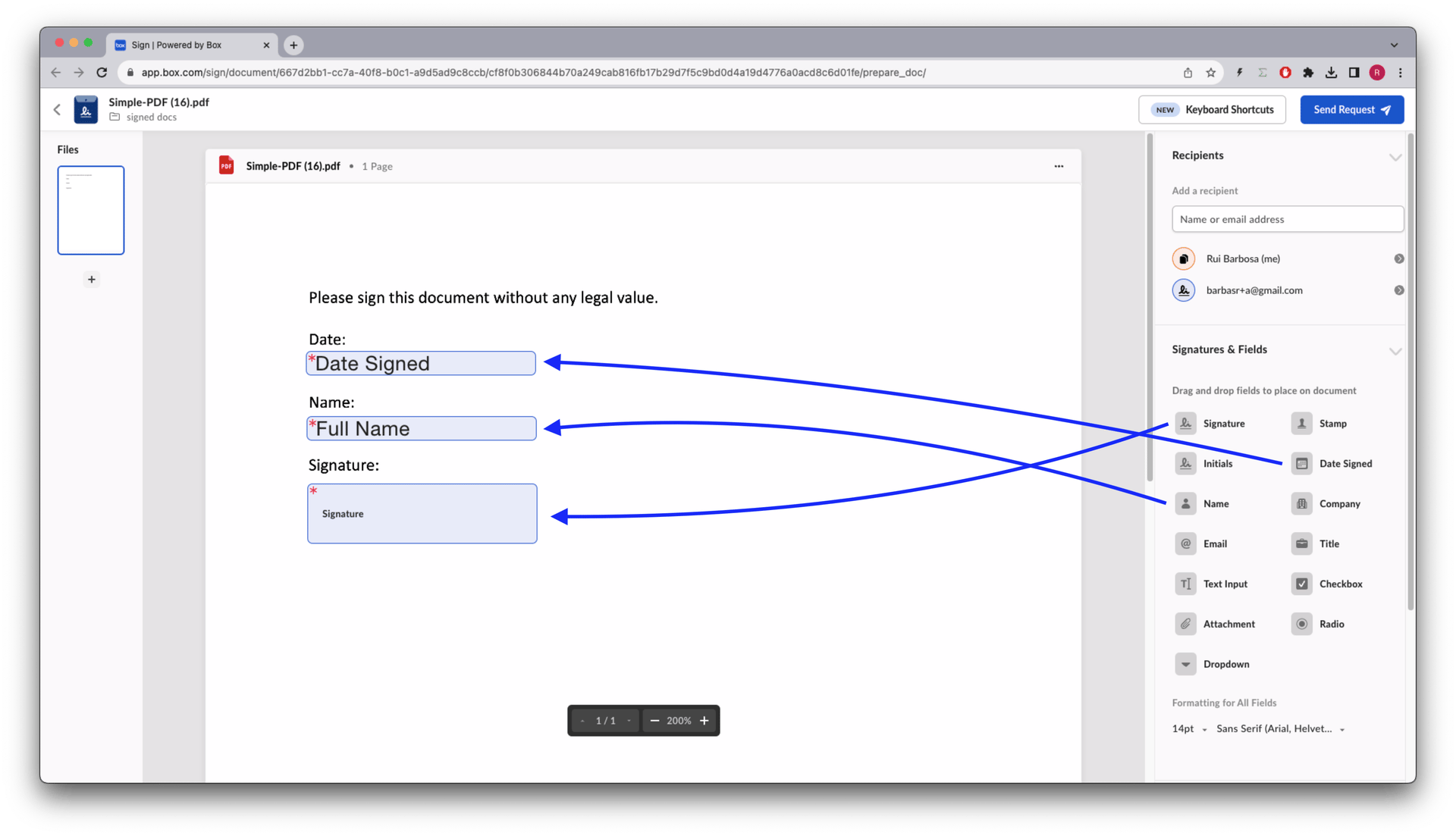 ドキュメントが準備できたら、リクエスト送信者は署名リクエストを署名者に送信できます。
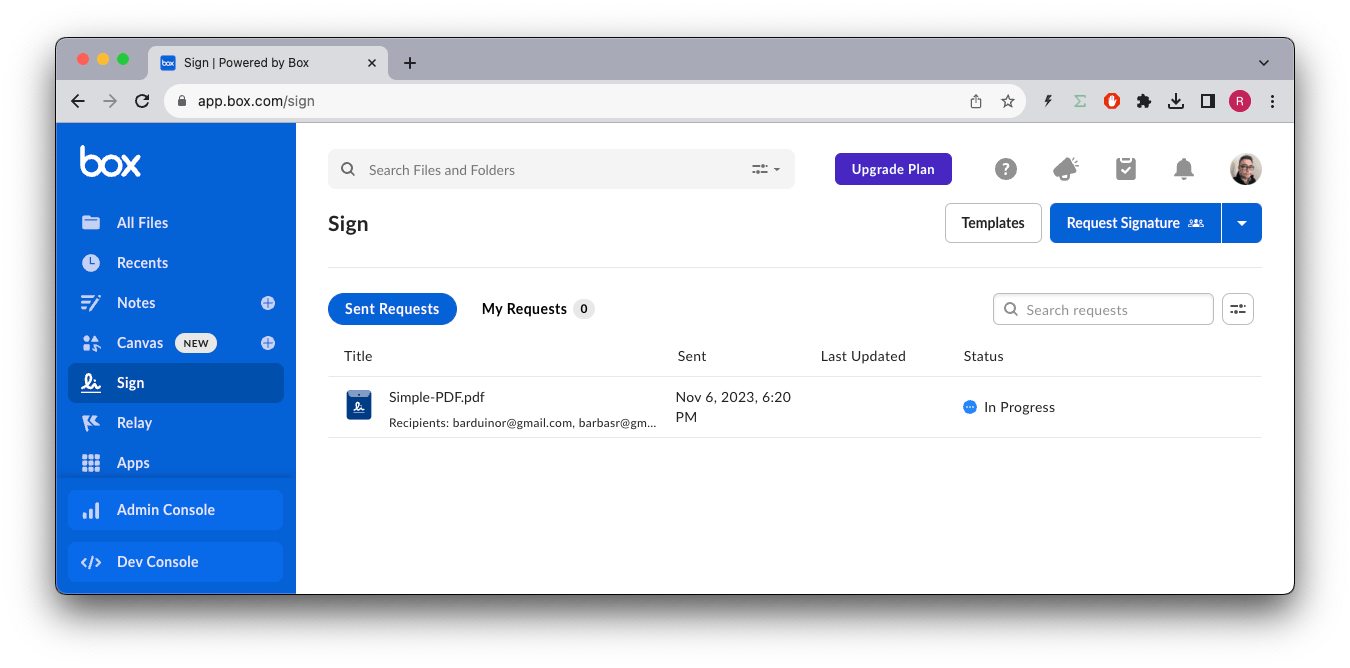
Boxアプリに戻ると、ステータスが`In Progress`になっていることがわかります。
ドキュメントが準備できたら、リクエスト送信者は署名リクエストを署名者に送信できます。
Boxアプリに戻ると、ステータスが`In Progress`になっていることがわかります。
 その後、署名リクエストへのリンクが記載されたメールがBoxから署名者に送信されます。
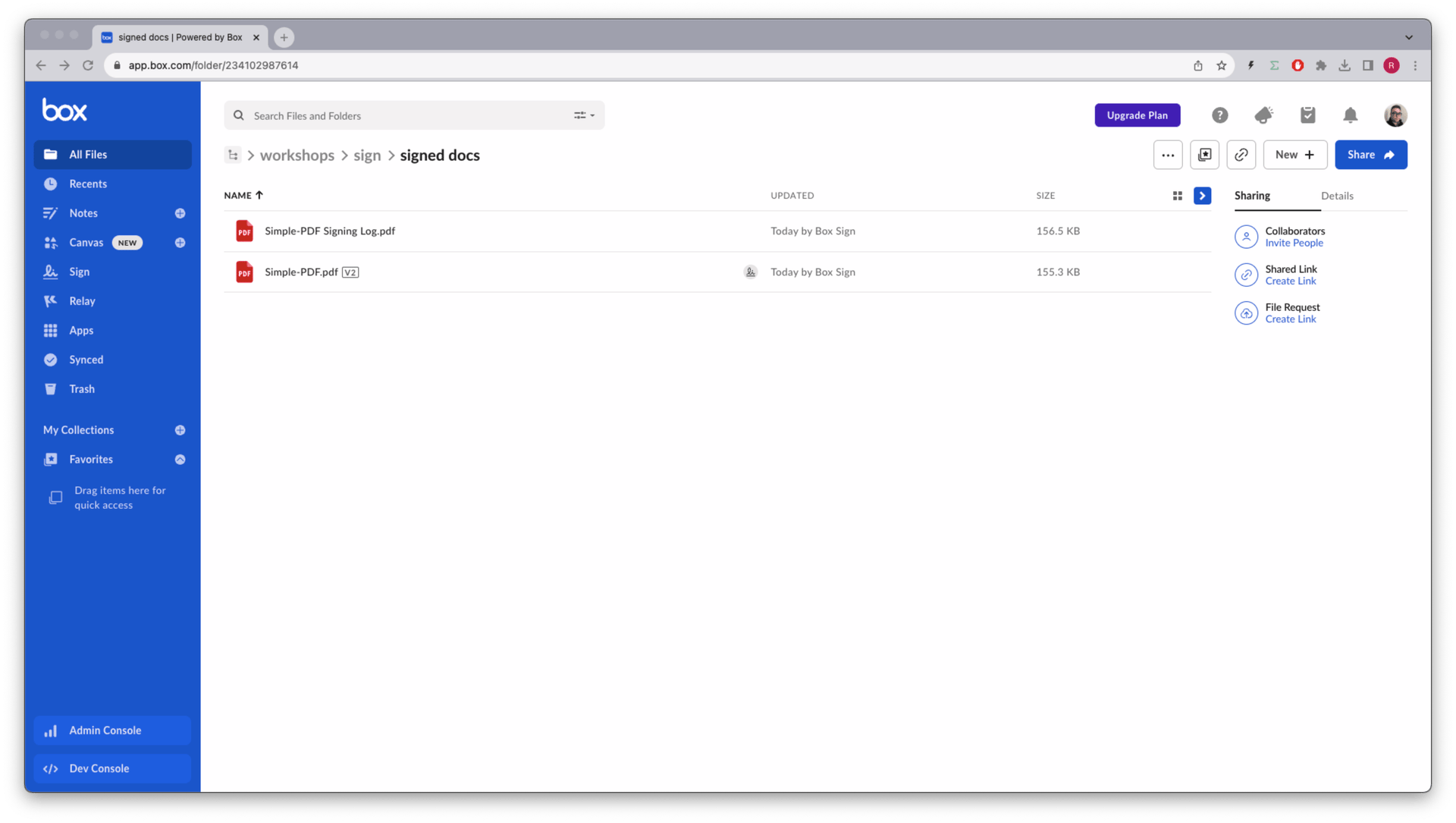
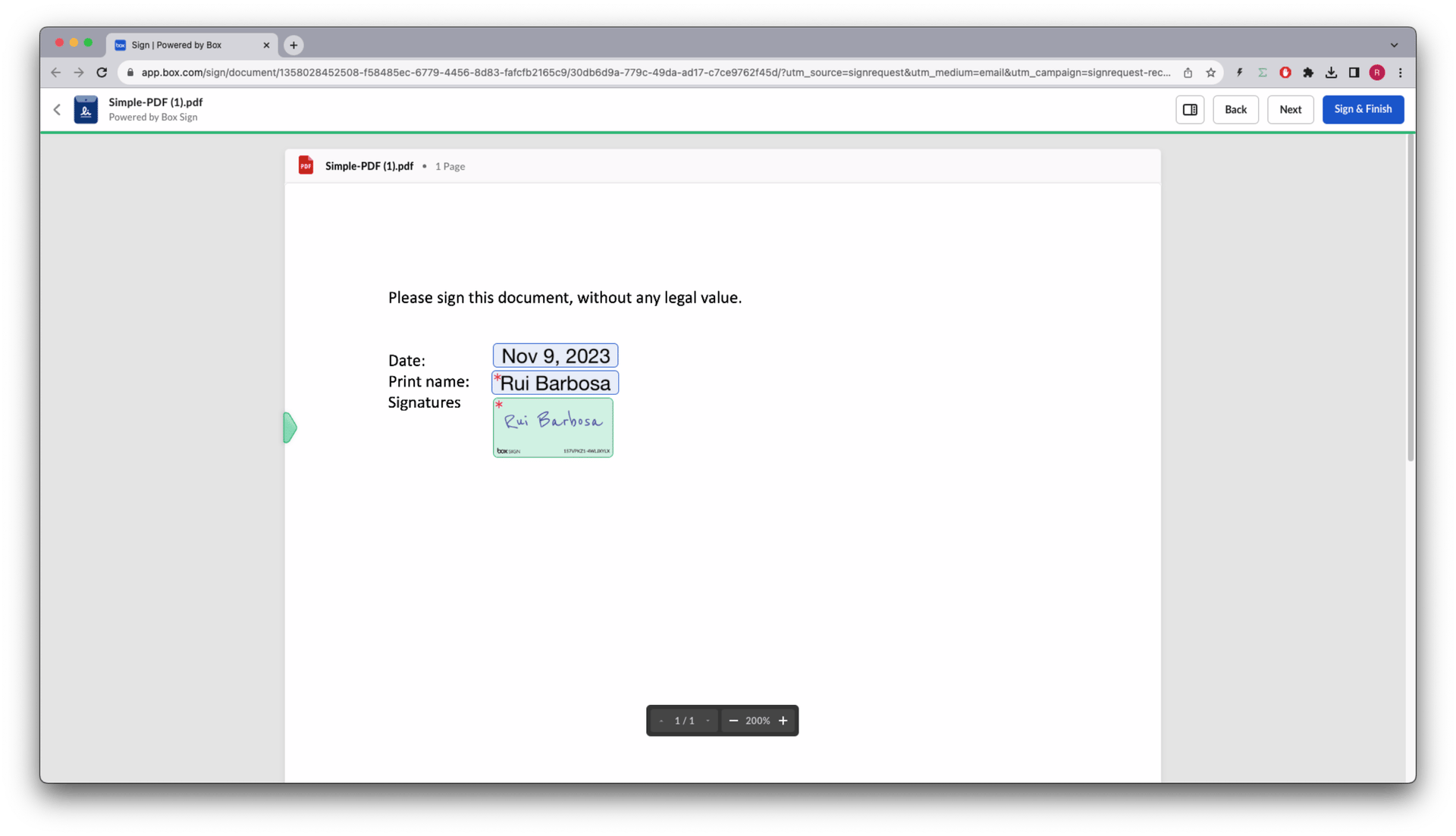 処理が完了すると、メタデータを含む署名ログと署名済みドキュメントの両方が保存先フォルダに格納されます。
 [sign-templates]: /guides/box-sign/document-types/sign-templates
[sign-structured-docs]: /guides/box-sign/document-types/structured
[sign-templates]: /guides/box-sign/document-types/sign-templates
[sign-structured-docs]: /guides/box-sign/document-types/structured