> ## Documentation Index
> Fetch the complete documentation index at: https://developer.box.com/llms.txt
> Use this file to discover all available pages before exploring further.
# 署名者の本人確認
> スマートカード、SMS、またはBoxログインで本人確認するよう署名者に要求し、Box Signリクエストにパスワードを追加します。
export const MultiRelatedLinks = ({sections = []}) => {
if (!sections || sections.length === 0) {
return null;
}
return
{sections.map((section, index) => )}
;
};
export const RelatedLinks = ({title, items = []}) => {
const getBadgeClass = badge => {
if (!badge) return "badge-default";
const badgeType = badge.toLowerCase().replace(/\s+/g, "-");
return `badge-${badge === "ガイド" ? "guide" : badgeType}`;
};
if (!items || items.length === 0) {
return null;
}
return ;
};
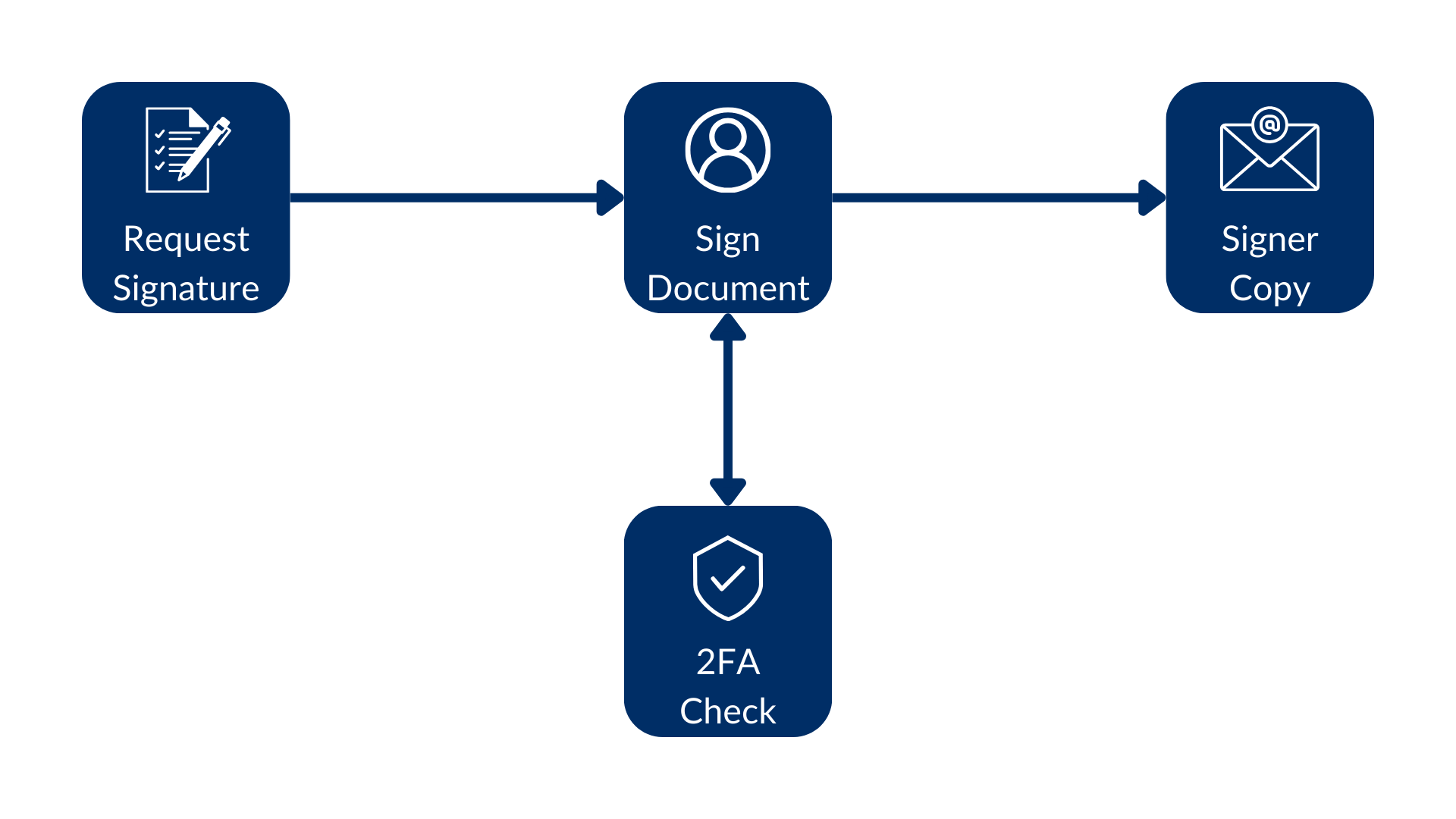
CAC/PIVスマートカード、SMS、またはBoxログインによる本人確認を署名者に要求できます。また、`password`を追加することもできます。これらの設定は、[リクエストの作成](/guides/box-sign/create-sign-request)時に、またはテンプレート上で署名者に対して行います。
 ## 認証方法
リクエストの作成時に署名者に対して`verification_method`を使用します。新規の統合向けには、この方法が推奨されます。
| 型 | 説明 |
| - | - |
| `cac_piv` | CAC/PIVスマートカード。社内でこの方法を許可しておく必要があり、許可していないとAPIから`403 Forbidden`が返されます。この方法を複数の署名者が使用する場合は、署名`order`が必要です。 |
| `phone` | SMS認証。`phone_number`には、先頭に`+`または`00`を付けた国コードを含めます。例: `+15551232190`。 |
| `login` | 署名者によるBoxアカウントへのログイン必須。アカウントがない場合は、無料のアカウントを作成することもできます。 |
リクエストまたはテンプレートを取得したとき、その署名者に認証が設定されていない場合は、`verification_method`が`null`になっています。`verification_method`と`login_required`や`verification_phone_number`などの従来のプロパティを両方とも設定している場合は、`verification_method`が優先されます。
```sh theme={null}
curl -i -X POST "https://api.box.com/2.0/sign_requests" \
-H "authorization: Bearer " \
-H "content-type: application/json" \
-d '{
"parent_folder": {
"type": "folder",
"id": "0987654321"
},
"source_files": [
{
"type": "file",
"id": "123456789"
}
],
"signers": [
{
"email": "signer@example.com",
"role": "signer",
"password": "example-password",
"verification_method": {
"type": "phone",
"phone_number": "+15551232190"
}
}
]
}'
```
## パスワード保護
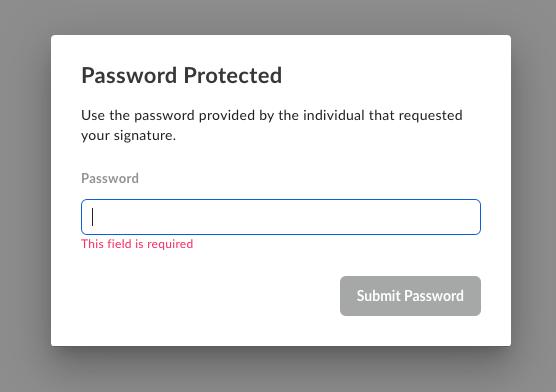
すべての認証方法で一緒に`password`を追加できます。パスワード認証は、署名者がリクエストを開く前に行われます。
## 認証方法
リクエストの作成時に署名者に対して`verification_method`を使用します。新規の統合向けには、この方法が推奨されます。
| 型 | 説明 |
| - | - |
| `cac_piv` | CAC/PIVスマートカード。社内でこの方法を許可しておく必要があり、許可していないとAPIから`403 Forbidden`が返されます。この方法を複数の署名者が使用する場合は、署名`order`が必要です。 |
| `phone` | SMS認証。`phone_number`には、先頭に`+`または`00`を付けた国コードを含めます。例: `+15551232190`。 |
| `login` | 署名者によるBoxアカウントへのログイン必須。アカウントがない場合は、無料のアカウントを作成することもできます。 |
リクエストまたはテンプレートを取得したとき、その署名者に認証が設定されていない場合は、`verification_method`が`null`になっています。`verification_method`と`login_required`や`verification_phone_number`などの従来のプロパティを両方とも設定している場合は、`verification_method`が優先されます。
```sh theme={null}
curl -i -X POST "https://api.box.com/2.0/sign_requests" \
-H "authorization: Bearer " \
-H "content-type: application/json" \
-d '{
"parent_folder": {
"type": "folder",
"id": "0987654321"
},
"source_files": [
{
"type": "file",
"id": "123456789"
}
],
"signers": [
{
"email": "signer@example.com",
"role": "signer",
"password": "example-password",
"verification_method": {
"type": "phone",
"phone_number": "+15551232190"
}
}
]
}'
```
## パスワード保護
すべての認証方法で一緒に`password`を追加できます。パスワード認証は、署名者がリクエストを開く前に行われます。
 ## SMS認証 (レガシー)
`verification_phone_number`も引き続きサポートされます。リクエストの作成時は、`verification_method`を使用することをお勧めします。
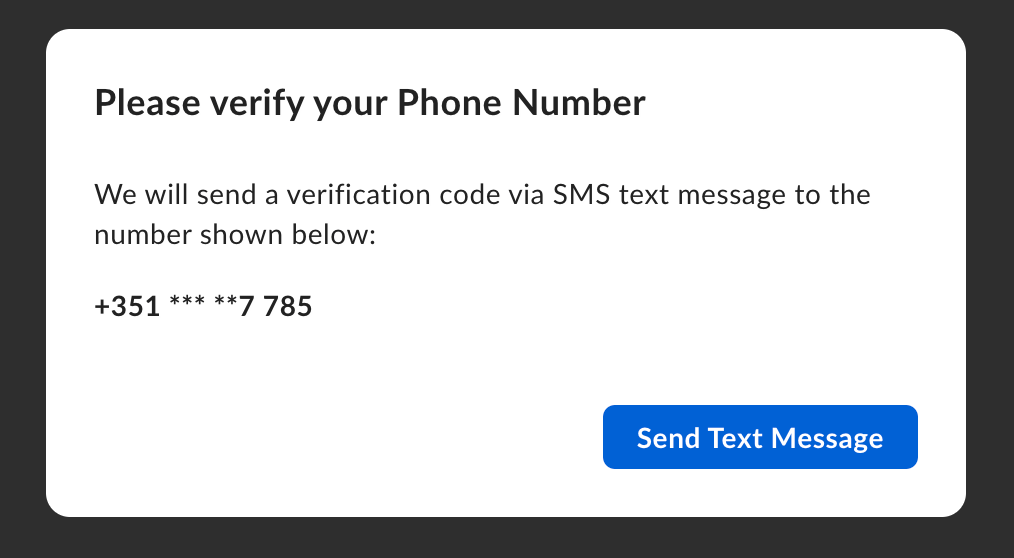
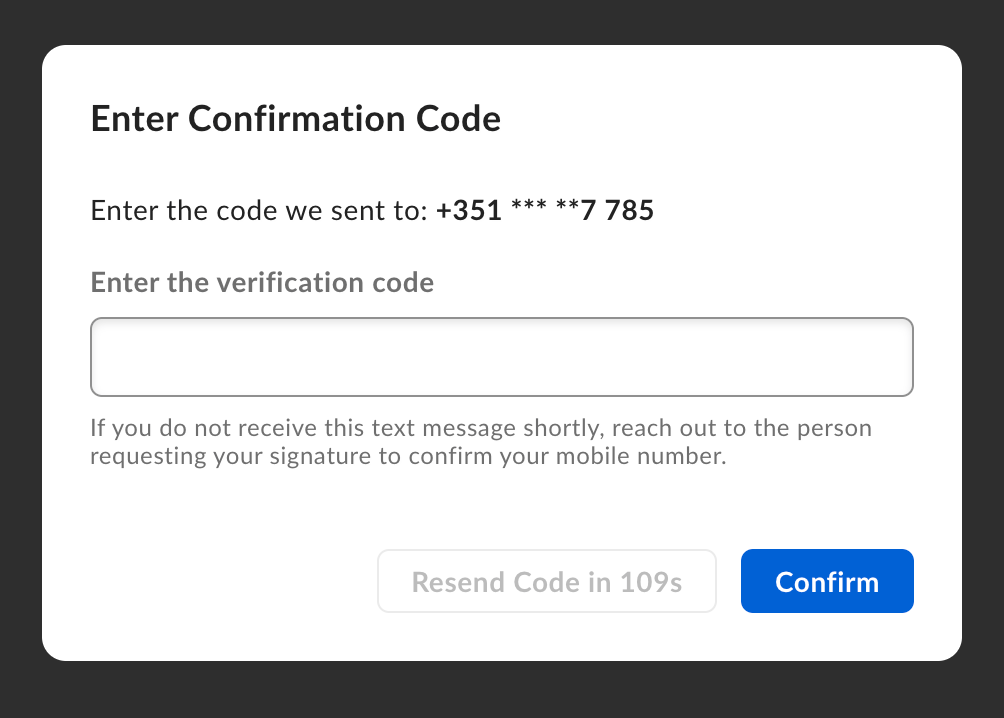
デフォルトでは、署名ステップでSMS認証が行われるため、署名者が最初にリクエストを確認できます。確認前にSMSを要求するには、`is_phone_verification_required_to_view`を`true`に設定します。
## SMS認証 (レガシー)
`verification_phone_number`も引き続きサポートされます。リクエストの作成時は、`verification_method`を使用することをお勧めします。
デフォルトでは、署名ステップでSMS認証が行われるため、署名者が最初にリクエストを確認できます。確認前にSMSを要求するには、`is_phone_verification_required_to_view`を`true`に設定します。
 署名者認証の詳細については、[追加の署名者認証][2fa]に関するサポート記事を参照してください。
[2fa]: https://docs.box.com/ja/box-sign/sending-a-document-for-signature/additional-recipient-authentication
署名者認証の詳細については、[追加の署名者認証][2fa]に関するサポート記事を参照してください。
[2fa]: https://docs.box.com/ja/box-sign/sending-a-document-for-signature/additional-recipient-authentication