> ## Documentation Index
> Fetch the complete documentation index at: https://developer.box.com/llms.txt
> Use this file to discover all available pages before exploring further.
# 浮動小数点メタデータフィールド
export const MultiRelatedLinks = ({sections = []}) => {
if (!sections || sections.length === 0) {
return null;
}
return
{sections.map((section, index) =>
;
};
export const RelatedLinks = ({title, items = []}) => {
const getBadgeClass = badge => {
if (!badge) return "badge-default";
const badgeType = badge.toLowerCase().replace(/\s+/g, "-");
return `badge-${badge === "ガイド" ? "guide" : badgeType}`;
};
if (!items || items.length === 0) {
return null;
}
return ;
};
export const Link = ({href, children, className, ...props}) => {
const localizedHref = localizeLink(href);
return
{children}
;
};
`float`タイプのメタデータフィールドは、数値入力のみが可能な標準のテキストフィールドとしてユーザーに表示されます。
これは、このテンプレートの既存のインスタンスに影響します。
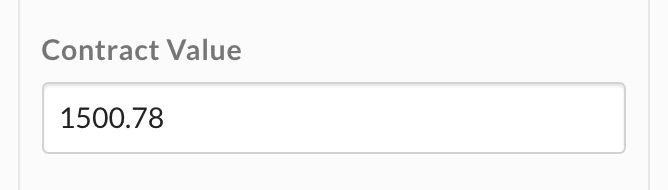 ## 浮動小数点フィールドの作成
`float`フィールドは、メタデータテンプレートの作成時、または`addField`操作によるテンプレートの更新時にメタデータテンプレートに追加できます。
`float`フィールドの必須属性は、`type`、`displayName`、および`key`です。
```json theme={null}
{
"scope": "enterprise",
"displayName": "Contract",
"fields": [
{
"type": "float",
"key": "contract_value",
"displayName": "Contract Value",
"description": "The contract's total value",
"hidden": false
}
]
}
```
必要に応じて、UIでユーザーに表示される`description`を指定できます。また、このフィールドを`hidden`に設定して、ウェブアプリとモバイルアプリでユーザーに表示されないようにすることもできます。
## 浮動小数点フィールドの更新
`float`テンプレートフィールドは、このフィールドが属するテンプレートを更新することで更新できます。テンプレートの更新は、ファイルまたはフォルダにすでに割り当てられているテンプレートも確実に更新される**操作**によって行われます。
`float`メタデータフィールドを更新する際、関連する操作は、フィールドの`key`、`displayName`、`description`、および`hidden`の値を変更するのに使用できる`editField`操作のみです。
```json theme={null}
[
{
"op": "editField",
"fieldKey": "contract_value",
"data": {
"displayName": "Total Annual Contract Value",
"description": "The contract's total anual value",
"key": "contract_tav",
"hidden": true
}
}
]
```
## 浮動小数点フィールドの作成
`float`フィールドは、メタデータテンプレートの作成時、または`addField`操作によるテンプレートの更新時にメタデータテンプレートに追加できます。
`float`フィールドの必須属性は、`type`、`displayName`、および`key`です。
```json theme={null}
{
"scope": "enterprise",
"displayName": "Contract",
"fields": [
{
"type": "float",
"key": "contract_value",
"displayName": "Contract Value",
"description": "The contract's total value",
"hidden": false
}
]
}
```
必要に応じて、UIでユーザーに表示される`description`を指定できます。また、このフィールドを`hidden`に設定して、ウェブアプリとモバイルアプリでユーザーに表示されないようにすることもできます。
## 浮動小数点フィールドの更新
`float`テンプレートフィールドは、このフィールドが属するテンプレートを更新することで更新できます。テンプレートの更新は、ファイルまたはフォルダにすでに割り当てられているテンプレートも確実に更新される**操作**によって行われます。
`float`メタデータフィールドを更新する際、関連する操作は、フィールドの`key`、`displayName`、`description`、および`hidden`の値を変更するのに使用できる`editField`操作のみです。
```json theme={null}
[
{
"op": "editField",
"fieldKey": "contract_value",
"data": {
"displayName": "Total Annual Contract Value",
"description": "The contract's total anual value",
"key": "contract_tav",
"hidden": true
}
}
]
```