> ## Documentation Index
> Fetch the complete documentation index at: https://developer.box.com/llms.txt
> Use this file to discover all available pages before exploring further.

# Tools

export const YouTube = ({id, title = 'YouTube video player', width = '100%', height = '400', ...props}) => {
  if (!id) {
    return <div style={{
      border: '2px solid #ff4444',
      borderRadius: '8px',
      padding: '20px',
      backgroundColor: '#fff5f5',
      color: '#cc0000'
    }}>
        <h4>⚠️ YouTube Error</h4>
        <p>Missing required prop: <code>id</code></p>
        <p>Usage: &lt;YouTube id="whxT3Bdx3E0" /&gt;</p>
      </div>;
  }
  return <iframe width={width} height={height} src={`https://www.youtube.com/embed/${id}`} title={title} frameBorder="0" allow="accelerometer; autoplay; clipboard-write; encrypted-media; gyroscope; picture-in-picture; web-share" allowFullScreen style={{
    borderRadius: '8px',
    marginBlock: '1rem'
  }} {...props} />;
};

Box offers several [tools][tooling] for you to use to jump start your
development. Check them out below.

## Sample Code Catalog

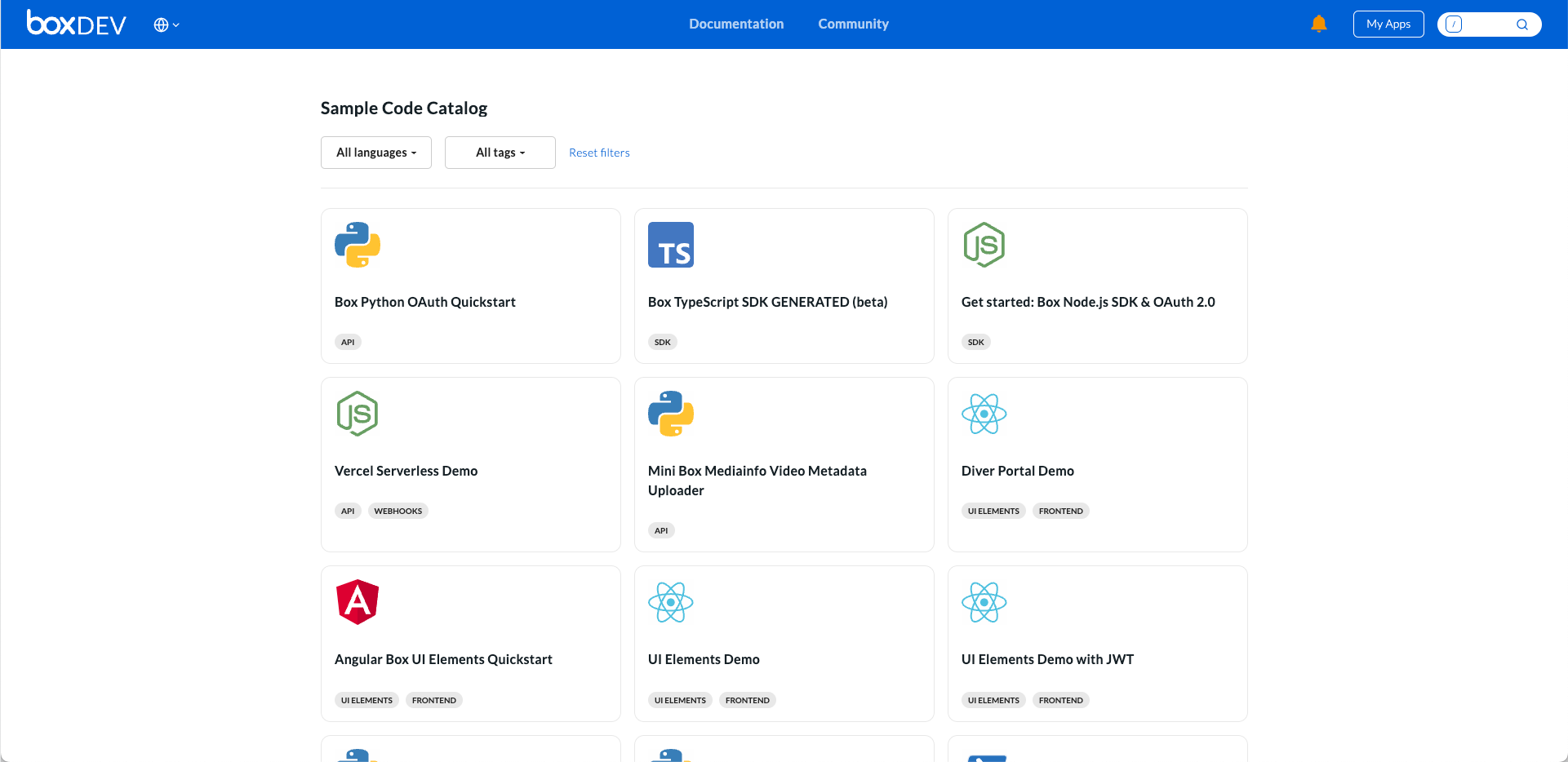
The [sample code catalog][sample_code]
is the most recent tool we have launched on the Box Developer site. It
pulls code sample repositories from multiple places, consolidating them in one
place for you to browse. It allows you to filter by language and task. We update
the list regularly so the you have access to the most up to date code.

<Frame center>
  <img src="https://mintcdn.com/box/wmUGjKQXEcjtSKpy/platform/images/sample_code.png?fit=max&auto=format&n=wmUGjKQXEcjtSKpy&q=85&s=0f0efbee53b74571d9ccc3d6eabbf328" alt="Sample Code Catalog" width="1921" height="934" data-path="platform/images/sample_code.png" />
</Frame>

## Box CLI

The Box Command Line Interface (CLI) is a tool for making requests to Box APIs
from your terminal window or command prompt. It takes less than five minutes
to set up and provides you direct access to the API. We also offer a suite of
[sample scripts][samples] to jump start any administration automation tasks.
<YouTube id="whxT3Bdx3E0" />

## SDKs

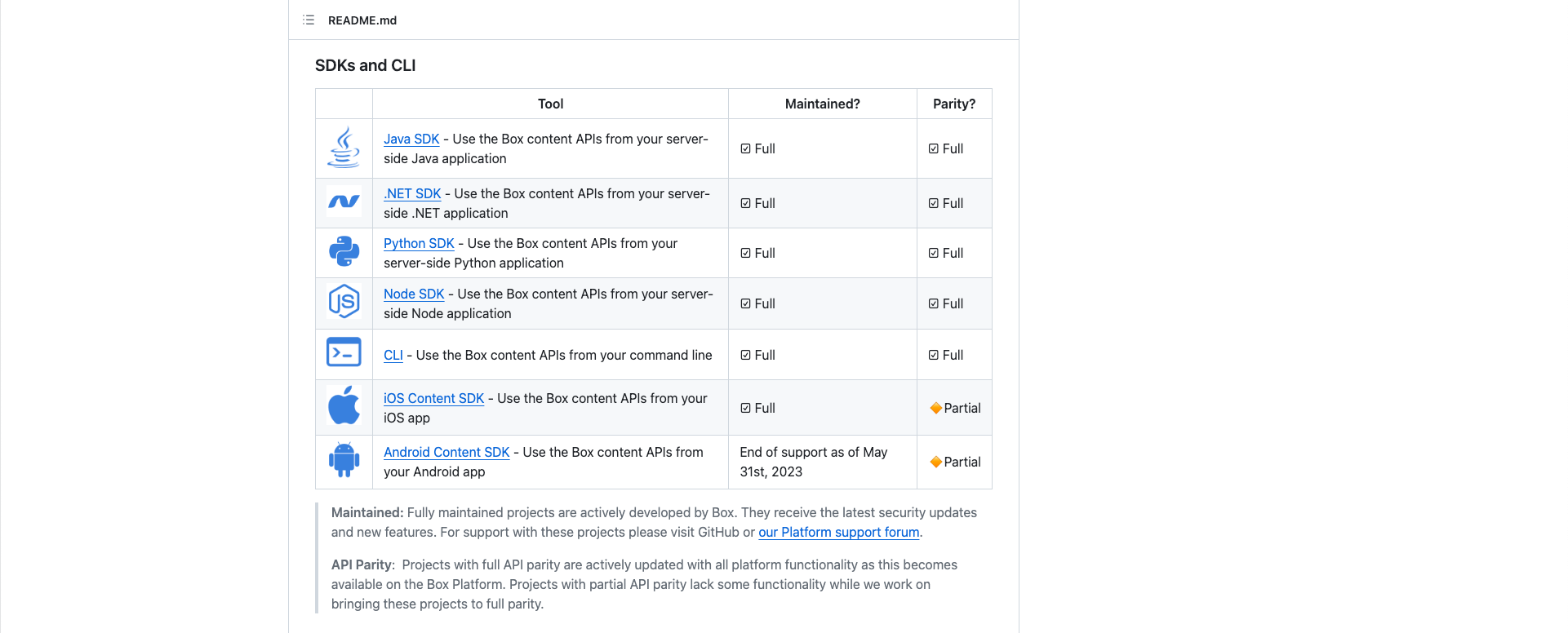
Box supports several coding languages with our [SDK libraries][sdk]. It is
highly recommended to use SDKs when creating a solution since the libraries
automatically handle things like authentication and retry logic for you. In
addition, the API reference pages contain samples for all the languages
directly in the site; however, each Github repo has a docs section
with all that language's samples too.

<Frame center>
  <img src="https://mintcdn.com/box/wmUGjKQXEcjtSKpy/platform/images/sdk.png?fit=max&auto=format&n=wmUGjKQXEcjtSKpy&q=85&s=7c8ac51cf327b342a72137a2781881e6" alt="SDK GitHub Libraries" width="1921" height="776" data-path="platform/images/sdk.png" />
</Frame>

## Postman Collection

As an industry standard in software development, Postman helps developers learn
APIs quickly, providing real time testing and code samples. You can find our
Postman Collection on the [Postman website][postman]. You can also check out
the YouTube video below.

<Youtube id="aEILZ_tukLg" />

<Next>
  Next step
</Next>

[samples]: /guides/cli/scripts

[sdk]: /sdks-and-tools

[file]: /reference/get-files-id

[tooling]: /guides/tooling

[sample_code]: /sample-code/

[postman]: https://www.postman.com/boxdev