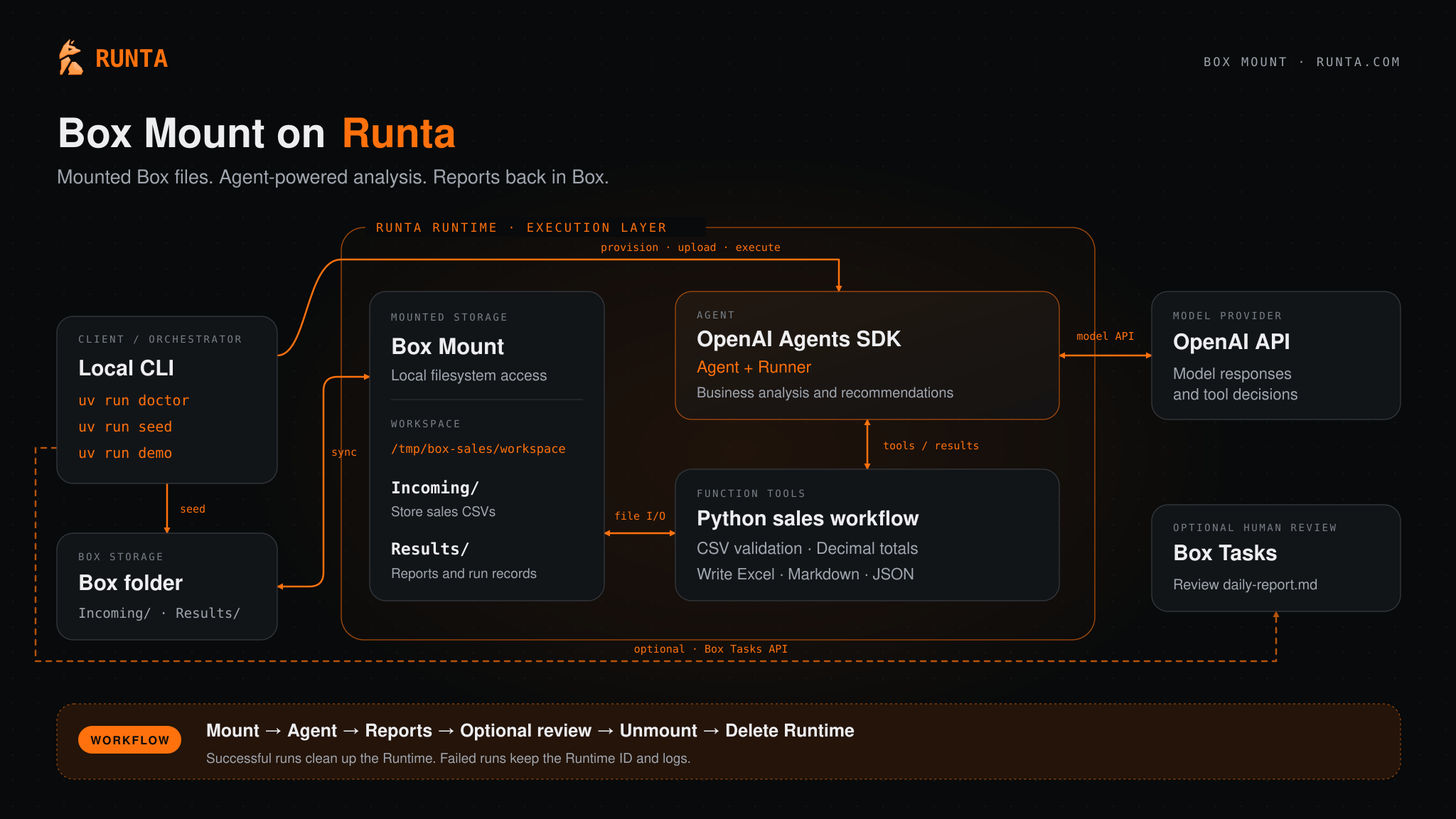
Runta provides Runtimes that act as the execution layer for agents. Box Mount runs inside the Runtime and maps a Box folder to a standard POSIX path, so your agent works with ordinary file operations while Box remains the system of record.
Before you begin
On the Box side, you need:
- Access to the Box Mount developer preview, including the Box Mount binary. To request access, complete the Box Mount developer preview form.
- A Box app configured for OAuth 2.0 or JWT. See Configure credentials.
- The ID of the Box folder you want to mount. This is the number at the end of the folder URL on Box.
Demo video
Reference architecture
In this reference architecture, a local CLI provisions a Runta Runtime, mounts a Box folder of sales CSV files, and runs an OpenAI Agents SDK agent that analyzes the data and writes reports back to Box.
The workflow runs in this order:
- The local CLI seeds the Box folder with sales CSV files in
Incoming/, then provisions the Runtime, uploads the workload, and runs it.
- Box Mount syncs the Box folder into the Runtime workspace at
/tmp/box-sales/workspace.
- The agent, built with the OpenAI Agents SDK, calls Python function tools that validate the CSV files, calculate totals, and write Excel, Markdown, and JSON reports to
Results/.
- Box Mount syncs the reports back to the Box folder. Optionally, the CLI creates a Box task so a person can review the daily report.
- The CLI unmounts the folder and deletes the Runtime. Failed runs keep the Runtime ID and logs for troubleshooting.
Next steps
Last modified on November 5, 2026