Box Postmanコレクションでは、アクセストークンを使用してユーザーの代わりにAPIリクエストを認証します。アクセストークンは1時間後に期限切れになるため、更新する必要があります。
更新トークンの使用
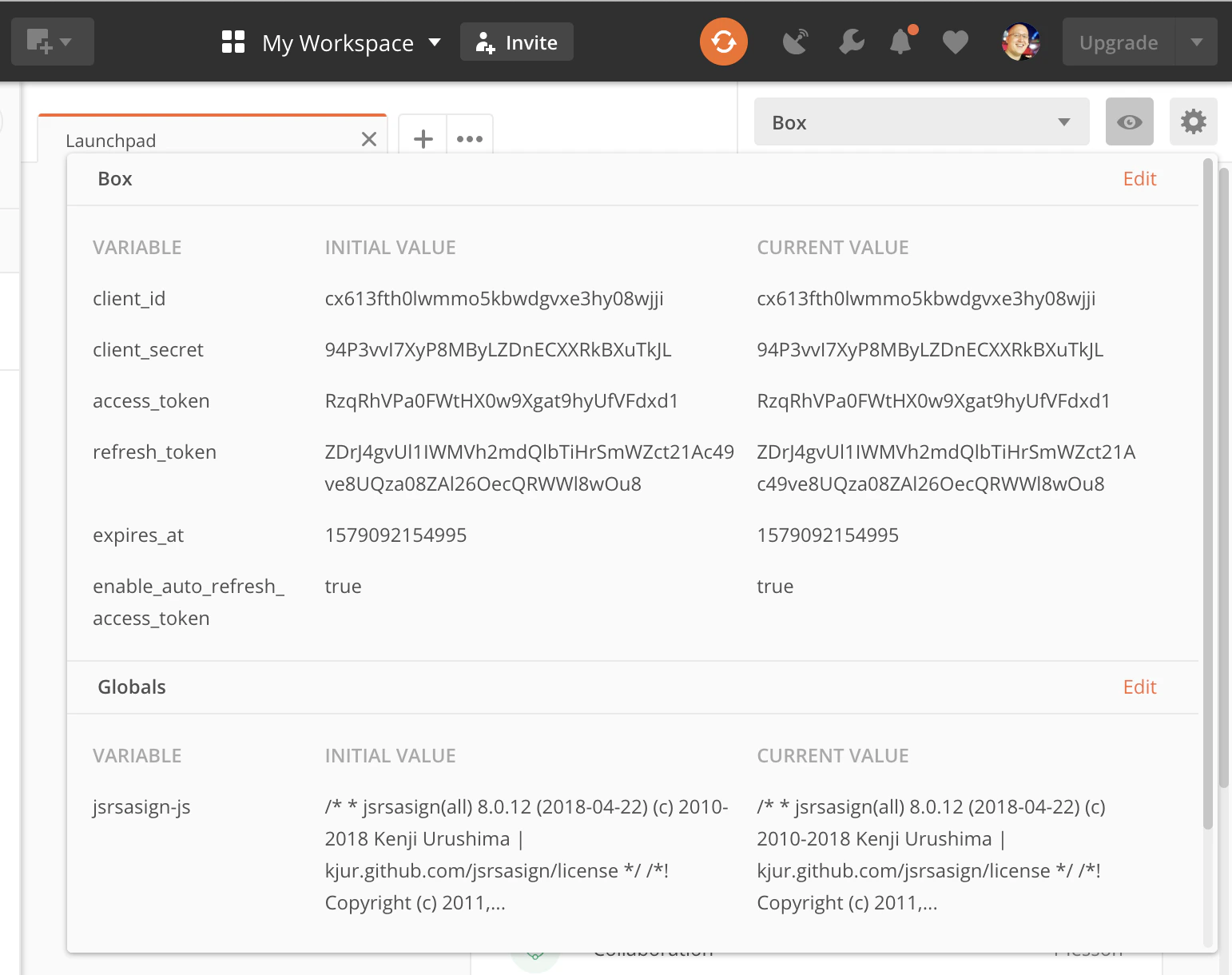
PostmanクイックスタートのでBoxアプリを構成した場合、Box環境には有効なclient_idとclient_secretを用意する必要があります。これらをrefresh_tokenと併せて使用することで、新しいaccess_tokenを取得できます。
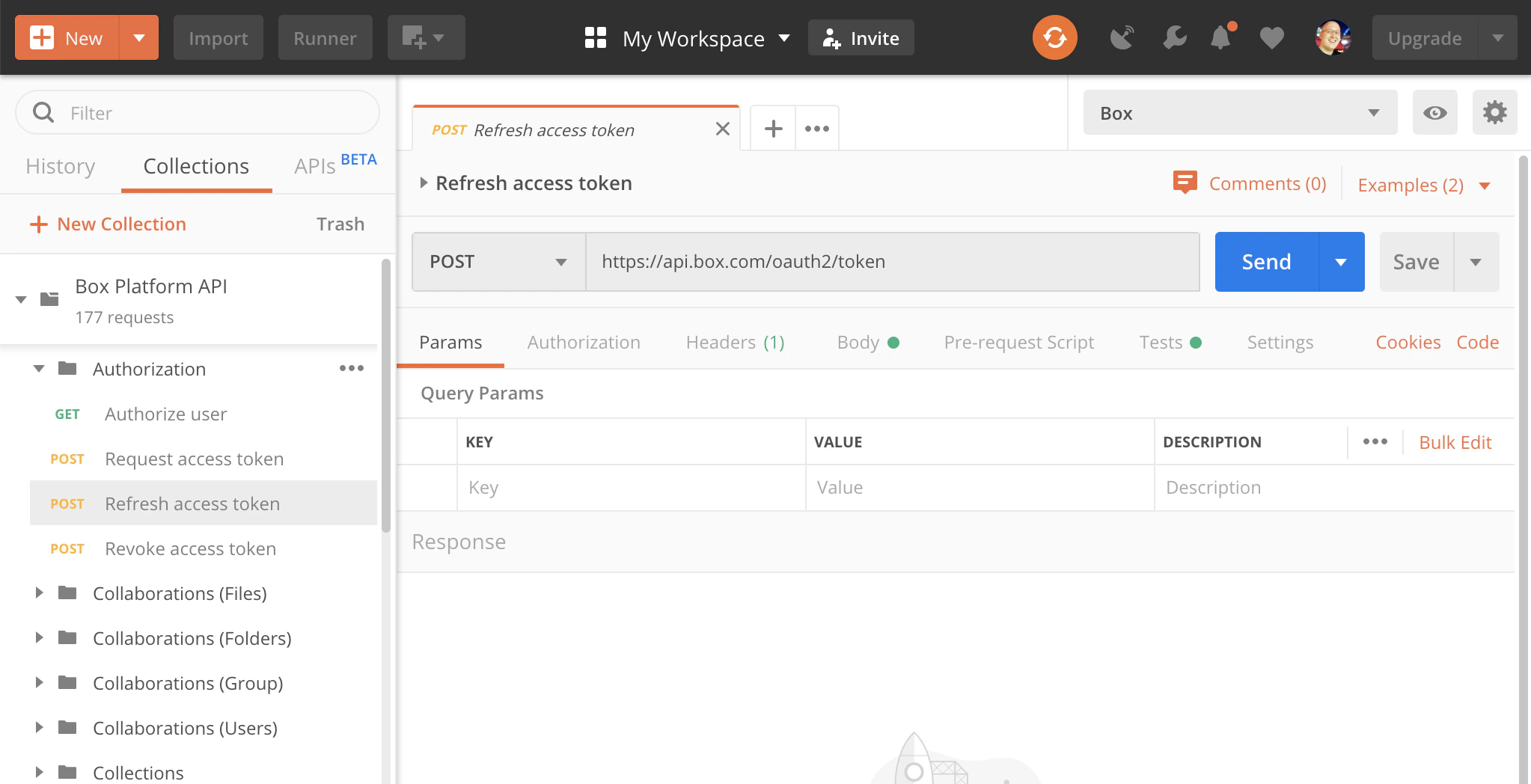
アクセストークンを更新するには、Box Postmanコレクションで [Authorization (承認)] フォルダを開き、[Refresh access token (アクセストークンを更新)] を選択します。
[Send (送信)] をクリックします。
成功した場合は、新しいaccess_tokenとrefresh_tokenで環境が更新されるため、APIコールの実行を再開できます。
更新トークンは1回のみ使用可能で、使用せずに60日が経過すると有効期限が切れます。更新トークンは使用するたびに新しいものが発行され、60日の期限もリセットされます。更新トークンの有効期限が切れると、再度を実行して新しいトークンペアを取得する必要があります。
トークンの自動更新
Box Postmanコレクションはリクエストを送信する前に、有効期限が切れたaccess_tokenを自動的に検出して更新することができます。この機能はデフォルトで有効になっています。
これを切り替えるには、Box Postman環境を編集し、enable_auto_refresh_access_token変数をtrueまたはfalseに設定します。
自動更新を有効にすると、コレクションは各APIコールの実行前にaccess_tokenの有効期限が切れているかどうかをチェックし、必要に応じてトークンを自動的に更新します。
再認証
refresh_tokenの有効期限が切れた場合、通常は60日以上コレクションが使用されていないため、をもう一度行って再認証する必要があります。
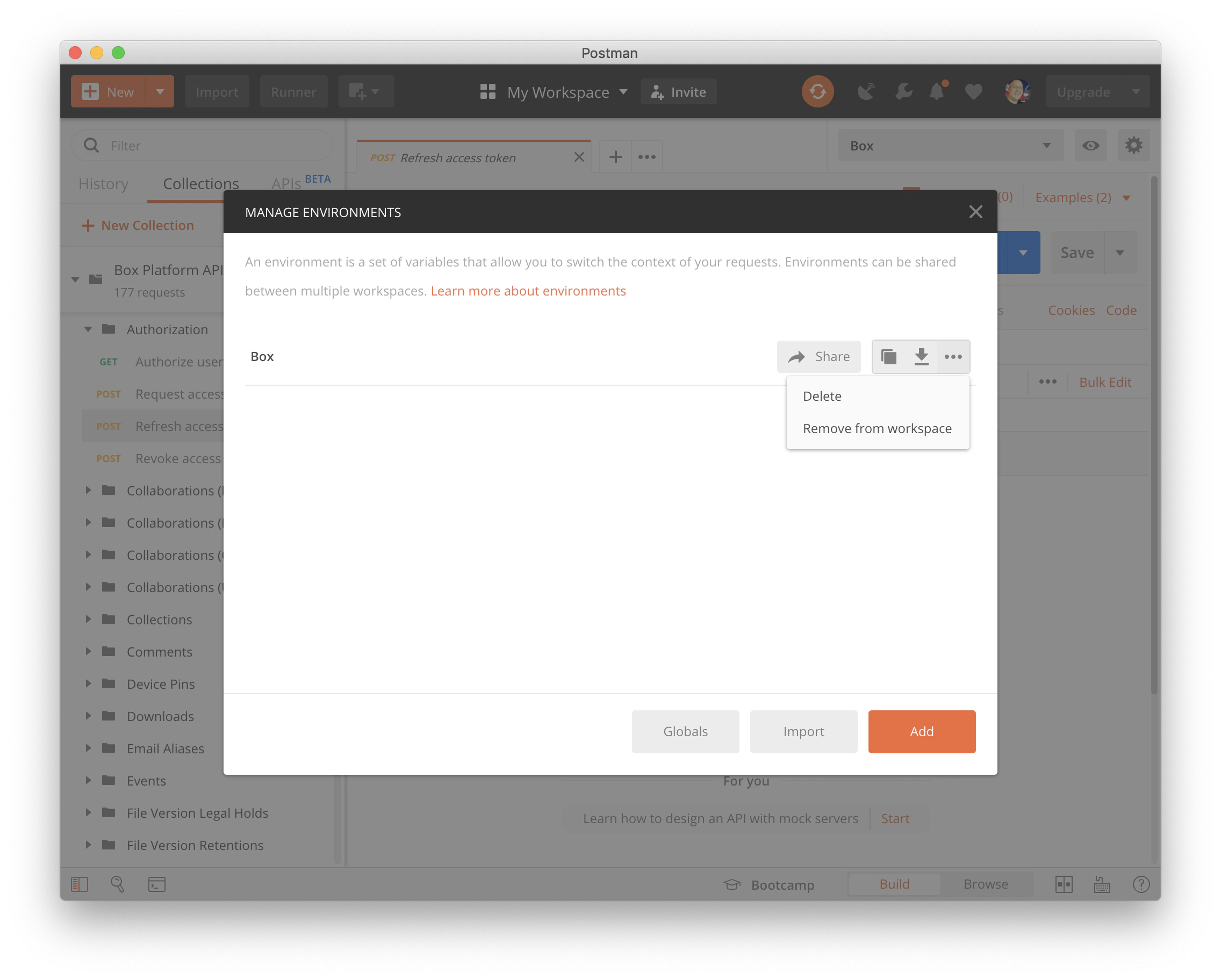
やり直す前に、既存のBox Postman環境を削除します。右上にある歯車アイコンをクリックし、環境を選択して [Delete (削除)] をクリックします。
次に、を最初から実行します。
Box Postmanコレクションを再インポートする際に、コピーとしてインポートするか、既存のものを置き換えるかをPostmanから問われる場合があります。コピーとしてインポートすると、APIリクエストに対して行った独自の変更は保持されます。


![Postmanの [Send] ボタン](https://mintcdn.com/box/ytoibDxiRFNjAO8q/ja/guides/tooling/postman/postman-send-button.png?fit=max&auto=format&n=ytoibDxiRFNjAO8q&q=85&s=9287909356d2176dc0adf2230bc66261)