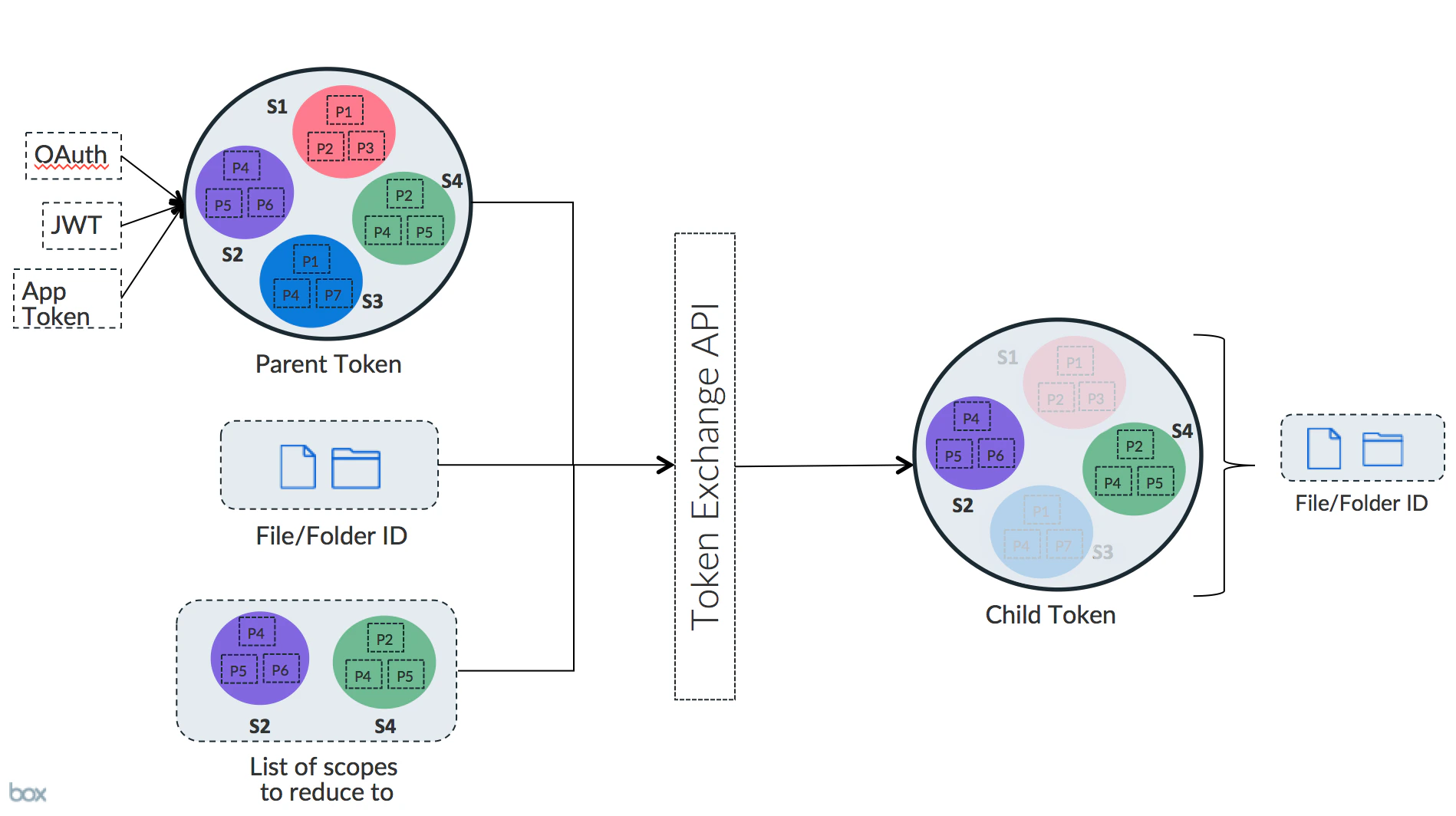
Downscoping is a way to exchange an existing Access Token for a new one that is
more restricted.
Reasons to downscope
An application might need to share the Access Token with an
environment that it does not fully control. A common example of this would be
when using Box UI Elements in a web browser.
When an application needs to pass an Access Token to the browser there is a
potential security risk that needs to be resolved. In order to limit this risk the
Access Token can be exchanged for a new token with much stricter permissions.
High-level overview
A downscoped token is a token that has fewer permissions (scopes) than the
original token, as well as the optional additional restriction to only allow
access to a specific file.
The new token takes the permissions of the original token and restricts them
to the tokens passed in, as well as the resource provided.
Downscoping in practice
To downscope a token, pass the POST /oauth2/token endpoint an existing Access
Token, a list of scopes, as well as an optional file URL to restrict the token to.
Example request
Send a form-encoded POST to https://api.box.com/oauth2/token. The example
below downscopes a token to upload-only access (item_upload) on a single
folder, which is a common pattern for issuing narrowly scoped upload tokens to
browsers or other clients:
Common upload-only combinations:
scope=item_upload — allows uploading files through the Content Picker flow.scope=base_upload with a resource set to a specific folder — restricts
uploads to that folder only, with no read, update, or delete permissions.
See scopes for downscoping
for the full list of scopes you can request.
Downscoped access token object
A downscoped Access Token returned by the POST /oauth2/token endpoint contains
extra information on the specific restrictions.
Most importantly here is the list of restricted_to entries that will contain
each combination of object and scope that the new token has the permissions for.
A downscoped token does not include a refresh token. To get a new downscoped
token, refresh the original refresh token and use that new token to get a
downscoped token.
Last modified on September 25, 2026