

Status values
converting: The file is converted to a.pdfafter you send the request.error_converting: Conversion to.pdffailed.created:is_document_preparation_neededistrueand no one has visited the prepare URL yet.sent: The request was sent and no signer has interacted with it.viewed: The first signer selected Review document in the email or opened the signing URL.signed: All signers completed the request.declined: A signer declined the request.cancelled: The request was cancelled in the UI or API. For more information, see Cancel a Box Sign request.expired:days_validpassed with incomplete signatures. For more information, see Request expiration.
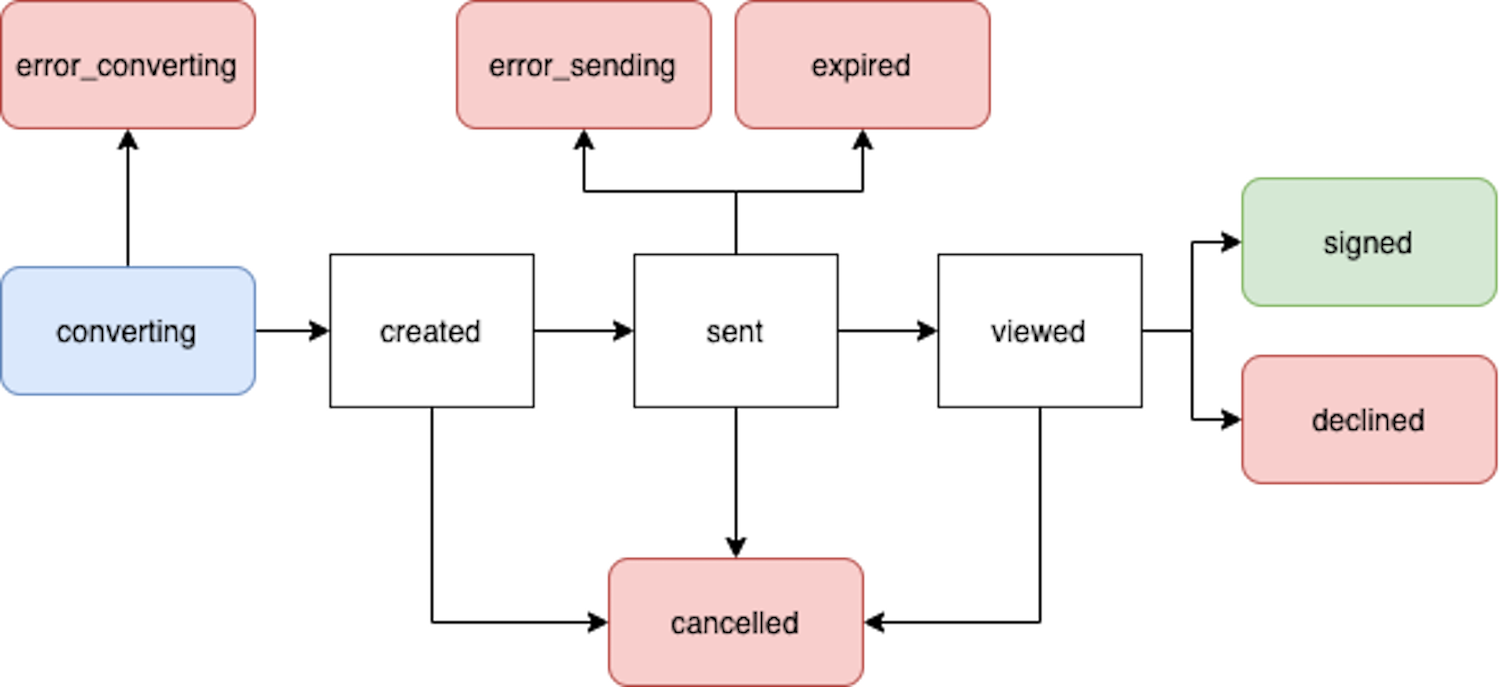
The Box Sign request resource lists the
complete set of values the
status field can return, including states that
this guide does not describe individually.